Notion Guides
How to build things in Notion yourself, step by step, with screens from real templates and settings you can try right on the page.
-
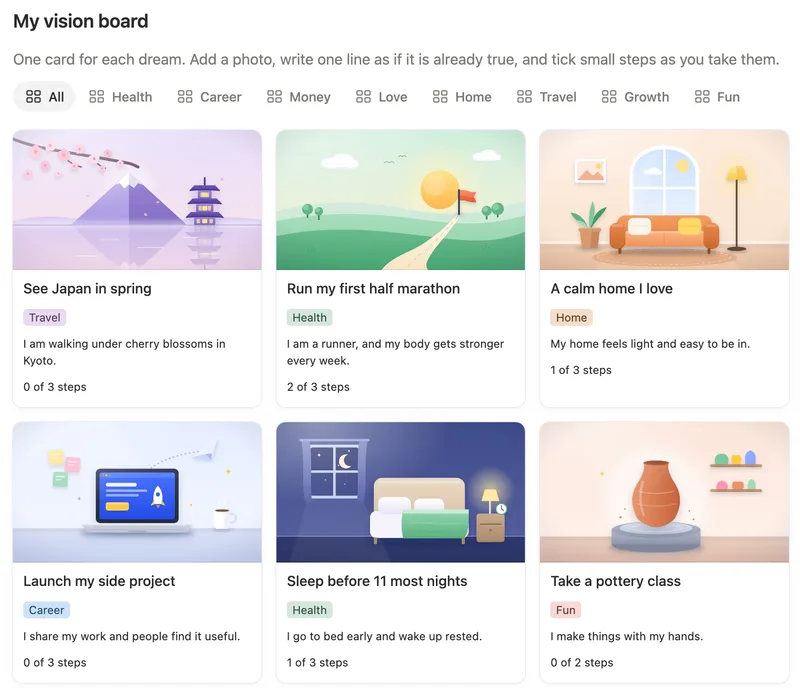
How to Make a Vision Board in Notion Make a gallery database and add a page for each dream, with a picture as its page cover. Set Card preview to Page cover, tag each card with a life area, and write one line on it as if it’s already true. Read the guide
-
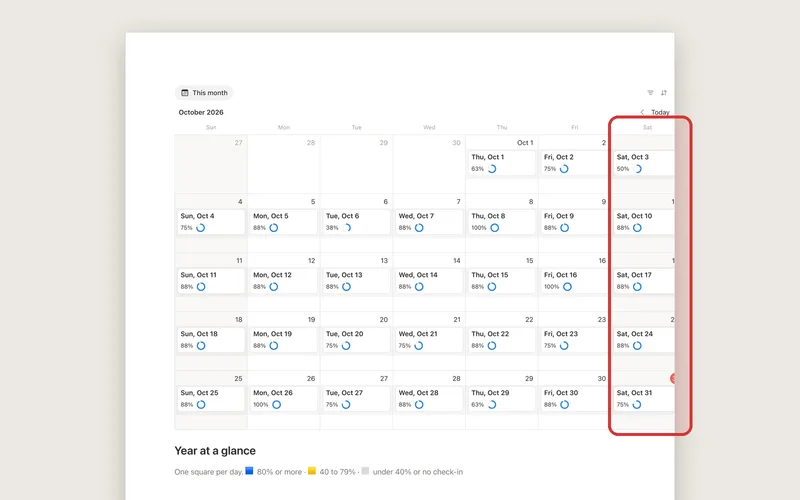
How to Print a Notion Calendar Notion has no print button. Open the page with your calendar in a browser and use File, Print, or export it with •••, More, Export, PDF and print the file. A month view is wider than the paper and often gets cut off, so check the preview first. Read the guide
-
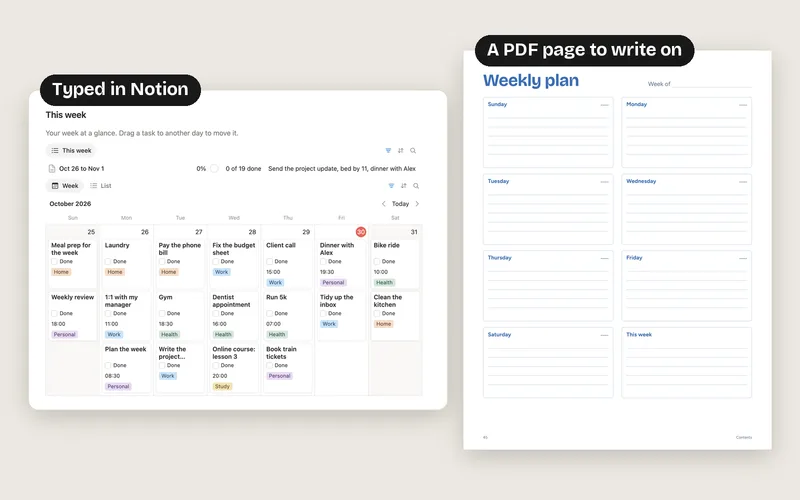
Notion vs Goodnotes for Planning Choose Goodnotes if you like to write your plans by hand on a tablet. Choose Notion if you’d rather type, want your plans on your phone and computer, and want tasks that repeat and count on their own. Plenty of people use both. Read the guide
-
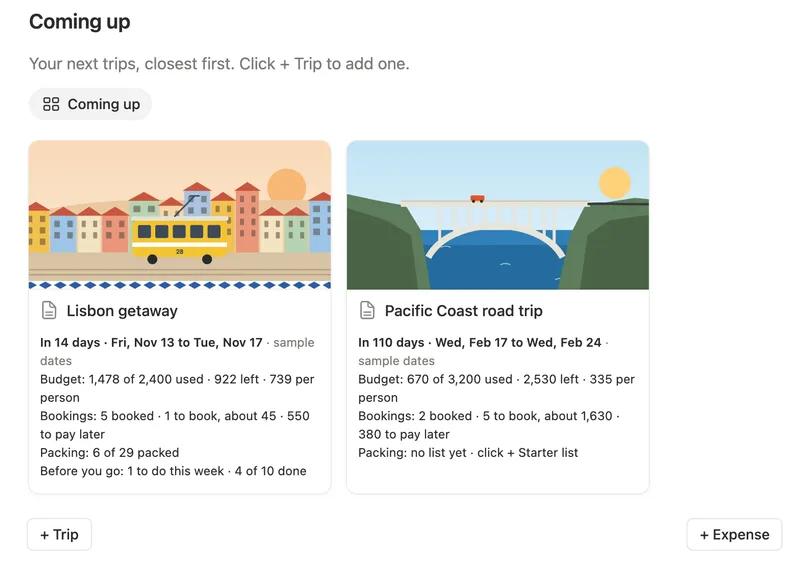
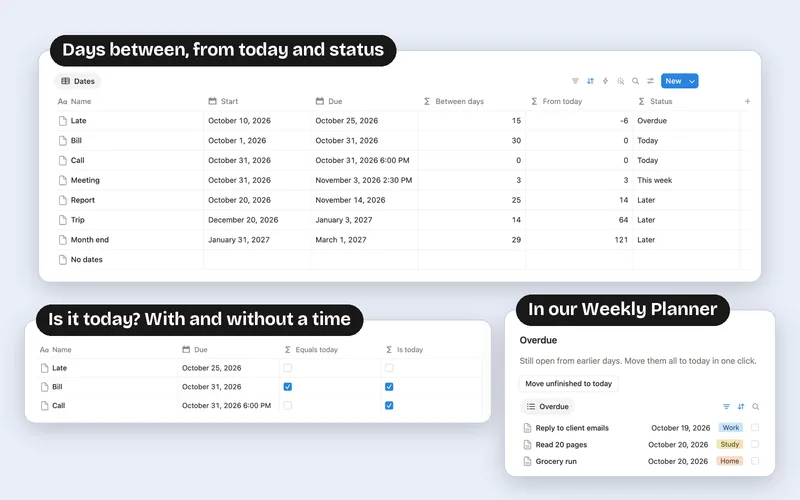
Notion Countdown Formula: Days Until Any Date Add a Formula property with dateBetween(prop("Date"), today(), "days"). It shows how many days are left and goes down by one every day on its own. Use today(), not now(), or the count comes out one day short. Read the guide
-
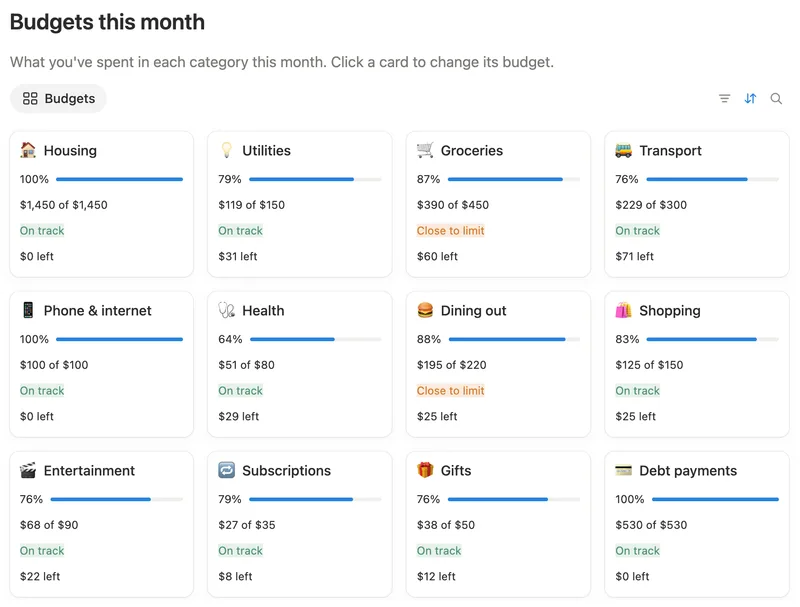
How to Make a Budget Tracker in Notion Make two databases, Expenses and Categories, and link them with a relation. Give each category a monthly Budget, add up this month’s expenses with a rollup, and subtract one from the other to see what’s left. Read the guide
-
How to Reset Checkboxes Every Day in Notion Add a button with the action Edit pages in. Pick your checklist database, filter to boxes that are ticked, and set them to unchecked. To reset by itself every morning, use a daily automation on a paid plan, or a template that repeats daily on the free plan. Read the guide
-
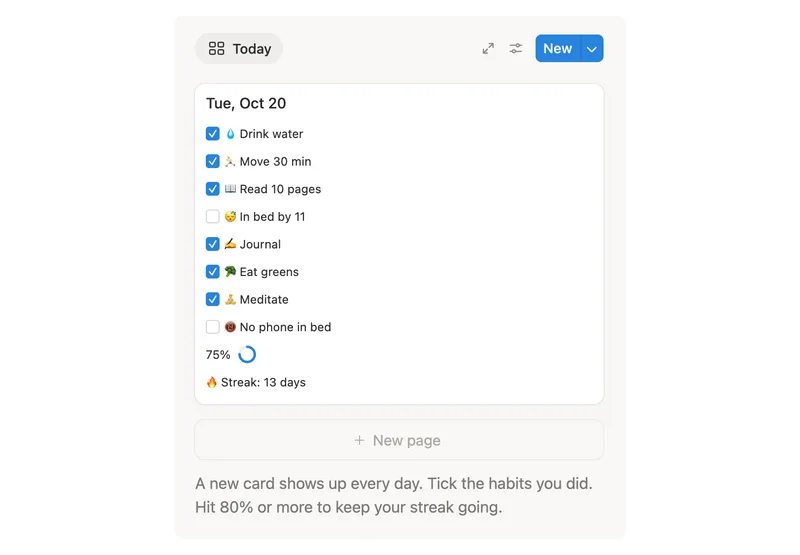
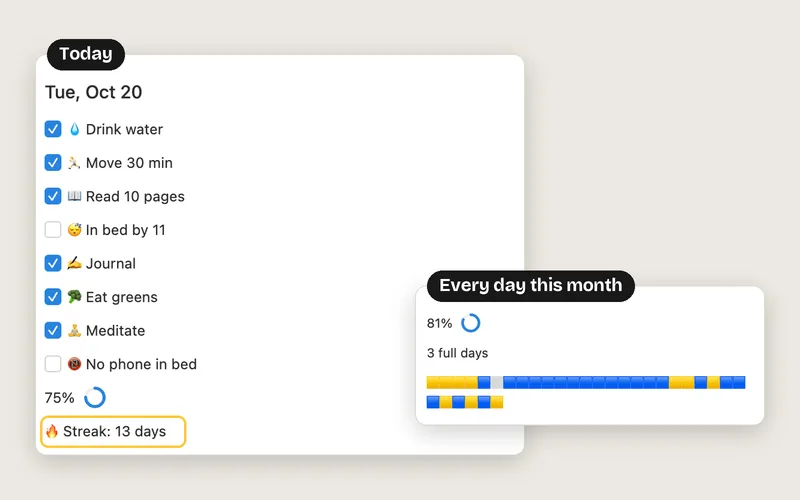
How to Make a Habit Tracker in Notion With Streaks Make a Days database with a checkbox for each habit and a template that adds a page every day. Link every day to one My streaks page, and give it a formula that counts back from yesterday until it finds a day you missed, then adds today once it’s ticked. Read the guide
-
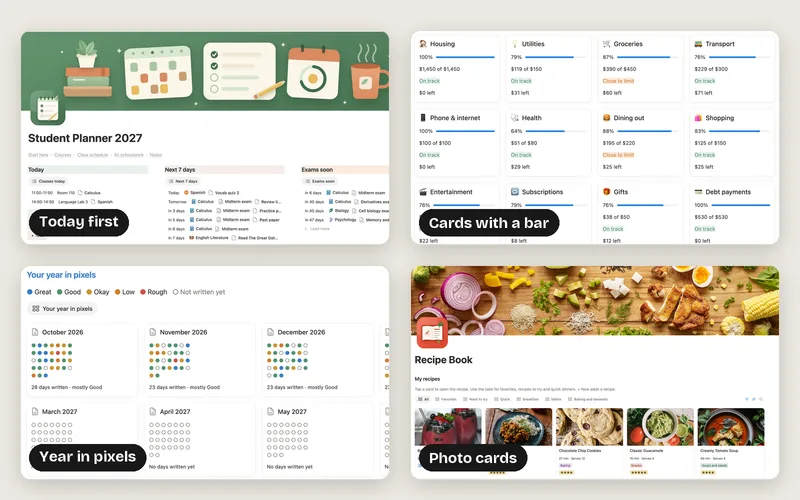
Notion Homepage Ideas You Can Copy The best Notion homepages answer what now? without scrolling: today’s list first, then what’s coming up, with links to everything else in one row. Below are 18 real home pages, each with the idea behind it and how to make it yourself. Read the guide
-
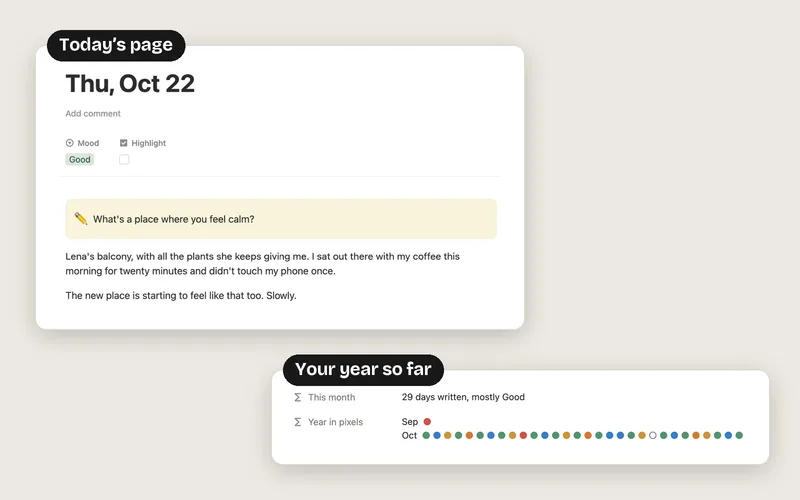
How to Journal in Notion, With a Question Every Day Make a Days database with a Date and a Mood, and a template that adds a page every day. A formula gives each day its own question, and one page linked to every day turns your moods into a year in pixels: one colored dot per day. Read the guide
-
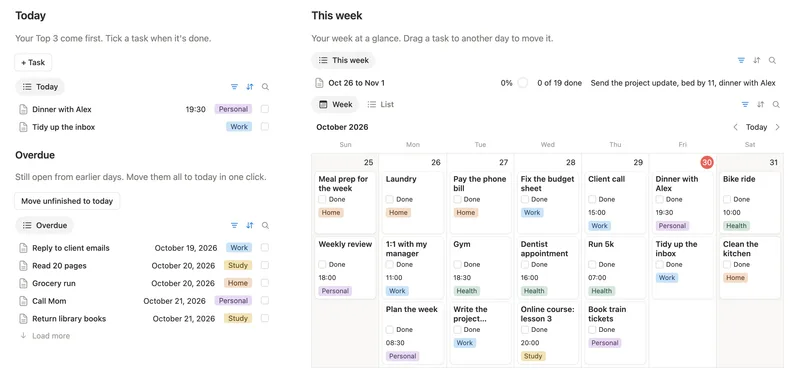
How to Make a Weekly Planner in Notion Make one Tasks database with a Date and a Done checkbox. A This week formula picks Monday to Sunday, an Overdue formula finds what slipped, and a button moves all of it to today in one click. Read the guide
-
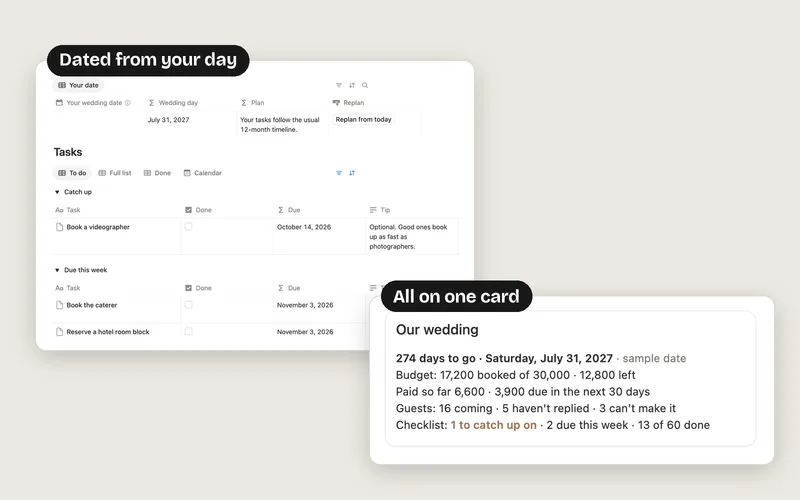
How to Use Notion for Wedding Planning Make one Our wedding page with your date and link every task and guest to it. Each task gets a Days before number that a formula turns into a due date, and the wedding page counts what’s done, what’s late and who’s coming. Read the guide
-
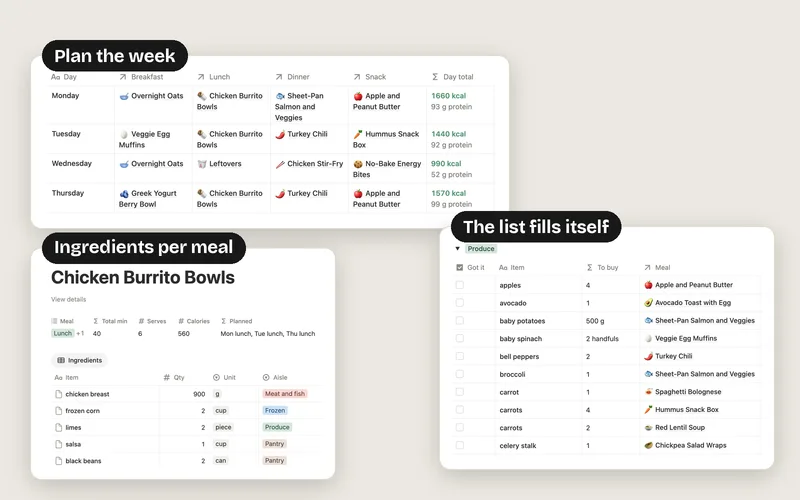
How to Make a Meal Planner in Notion Keep meals, days and ingredients in three linked databases. A This week formula counts how often each meal is planned, Buy multiplies each ingredient by that count, and a view filtered to Buy above 0 and grouped by aisle is your shopping list. Read the guide
-
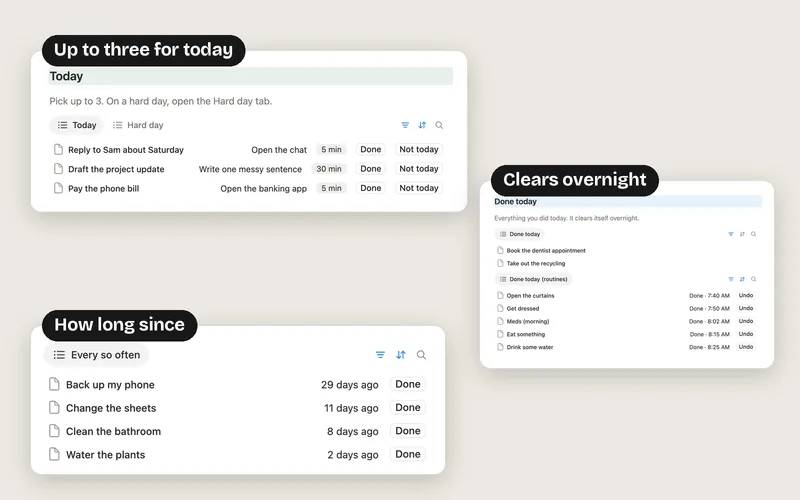
How to Use Notion for ADHD Keep every task in one Tasks list and add a brain dump button that files a thought in one click. A Today view shows up to three tasks, and daily basics sit in a Routines list that resets itself overnight. Read the guide
-
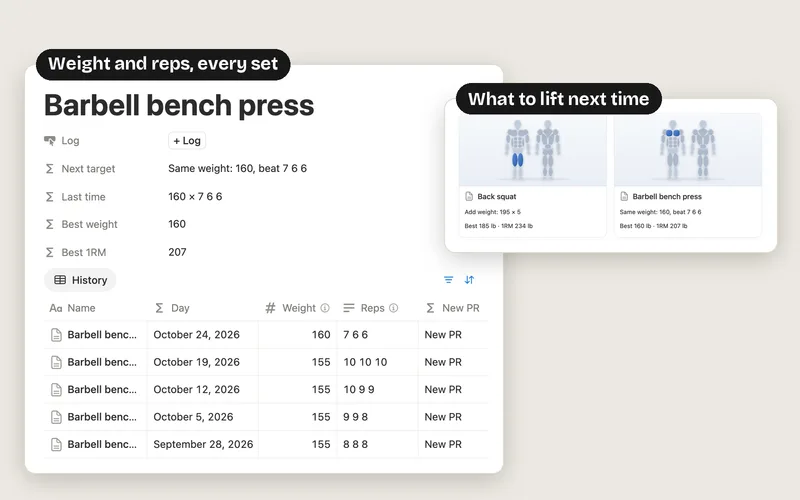
How to Make a Workout Tracker in Notion Make an Exercises database with a rep range for each move and a Log database linked to it. Log the weight and the reps of each set, like 10 10 9. Formulas add up volume, estimate your one rep max, tick New PR and say when to add weight. Read the guide
-
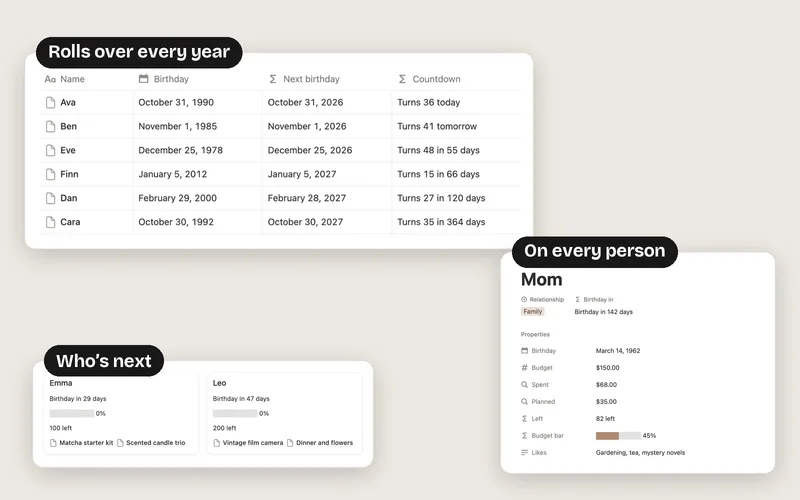
How to Make a Birthday Tracker in Notion Make a People database with a Birthday date. A Next birthday formula moves each birthday to this year or next, Days until counts down to it, and a list sorted by Days until always shows who’s next. A calendar by Next birthday puts them all on one calendar. Read the guide
-
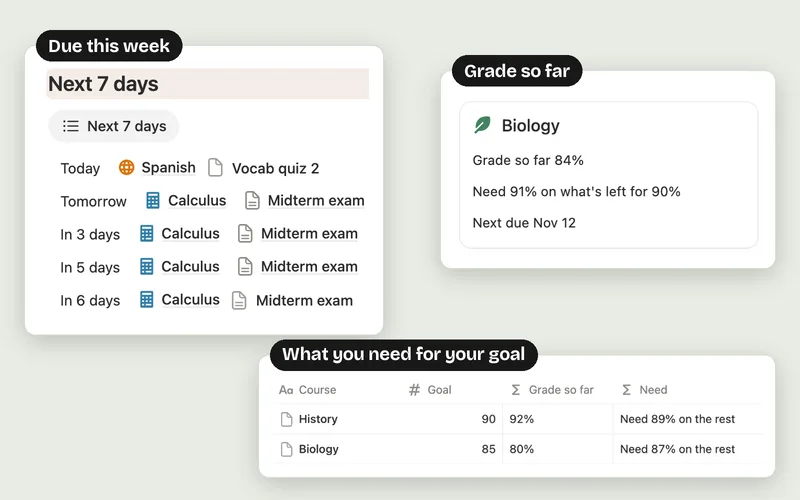
How to Make a Study Planner in Notion Make a Courses database with a Goal and a Schoolwork database linked to it, with Due, Done, Score, Out of and Weight. A Days left formula counts down to every due date and a This week view lists what’s due next. Two formulas on each course work out your grade so far and the score you need on the rest to reach your goal. Read the guide
-
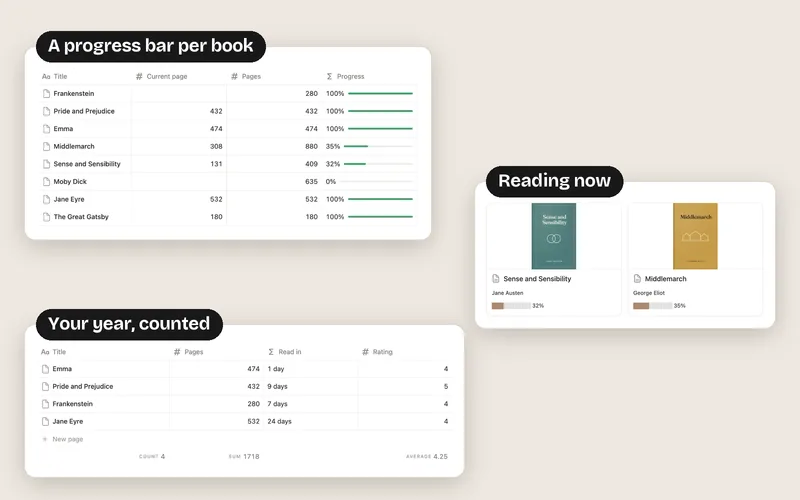
How to Make a Book Tracker in Notion Make a Books database with Status, Pages, Current page, Started, Finished and Rating. A Progress formula shown as a bar tracks every book, a Reading now gallery shows what you’re on, and a Read this year view counts your books, adds up the pages and averages your ratings. Read the guide
-
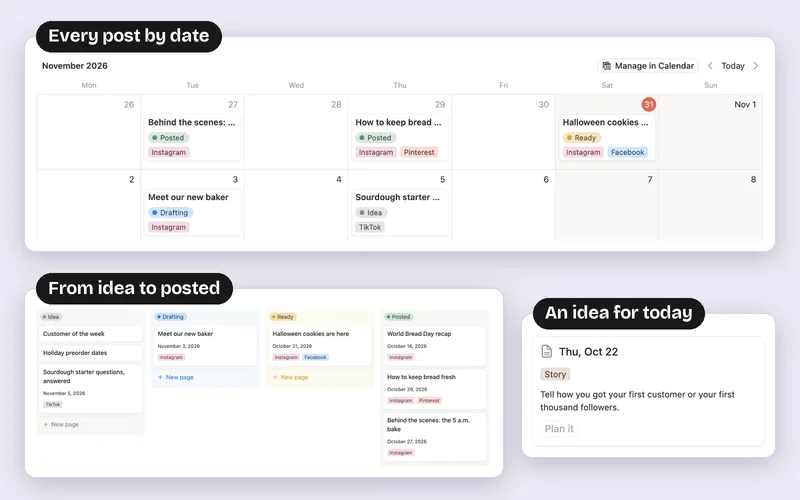
How to Make a Content Calendar in Notion Make a Posts database with Date, Status, Platform and Format. Add a Calendar view by Date, a Board grouped by Status for your pipeline from idea to posted, and an Idea bank for posts with no date. An Engagement formula and a Top posts view show what worked best. Read the guide
-
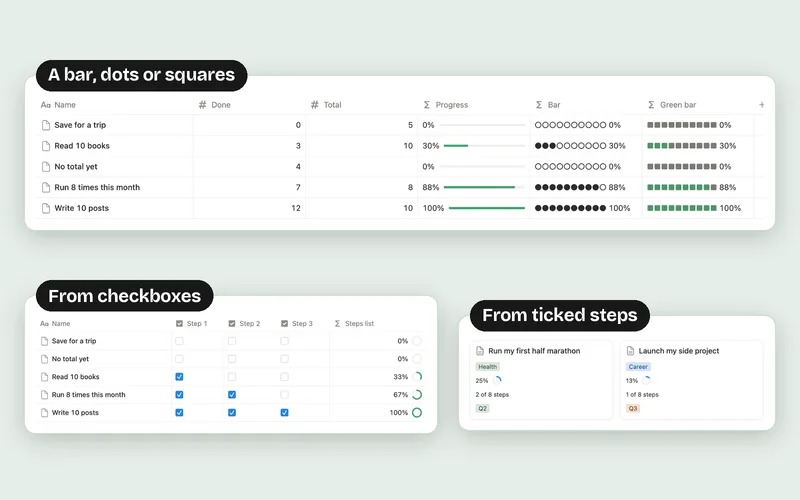
Notion Progress Bar Formula Divide what’s done by the total in a formula, like
min(prop("Done") / prop("Total"), 1). Then open the property, set Number format to Percent, Decimal places to 0 and Show as to Bar. For checkboxes, count the ticked ones; for a to-do list, count the linked tasks marked Done. Read the guide -
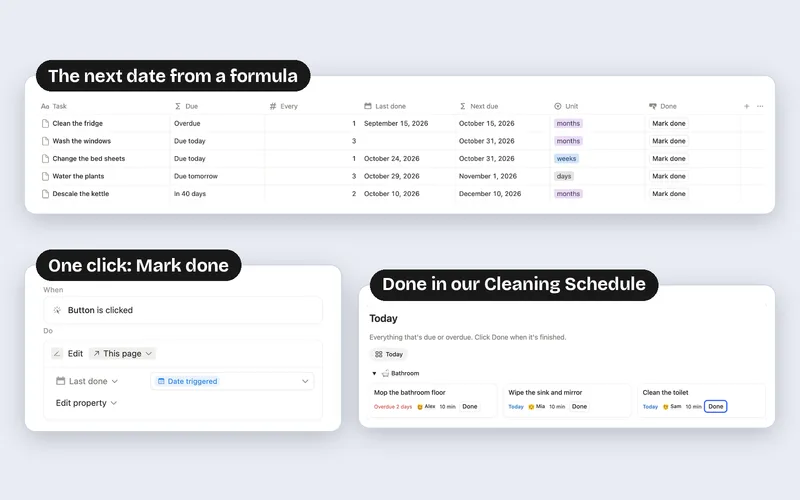
How to Make Recurring Tasks in Notion Give each task an Every number, a Unit (days, weeks or months) and a Last done date. A formula adds them up to the next due date, and a button that sets Last done to today moves the task forward each time you finish it. Read the guide
-
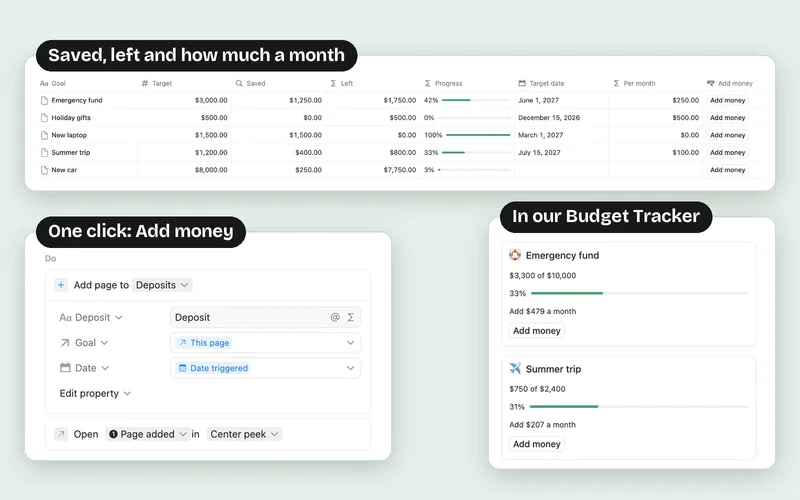
How to Make a Savings Tracker in Notion Make a Savings goals database with a Target and a Target date, log each deposit in a second database, and add them up with a rollup called Saved. Formulas then show what’s left, a progress bar and how much to put aside per month, and an Add money button logs each deposit. Read the guide
-
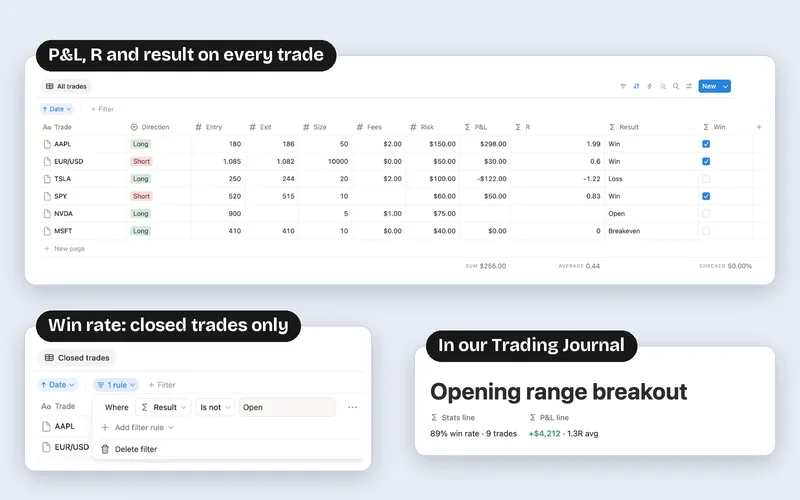
How to Make a Trading Journal in Notion Make a Trades database with Entry, Exit, Size, Fees and Risk. A P&L formula works out each result, R divides it by what you risked, and the Calculate row gives net P&L, average R and a win rate from a view that leaves out open trades. Read the guide
-
Notion Date Formulas: A Tested Cheat Sheet Use dateBetween to count days, weeks or months between two dates, dateAdd and dateSubtract to move a date, formatDate to show it your way and dateRange to join two dates. To check for today, compare both dates with formatDate: a date with a time isn’t equal to today(). Read the guide
-
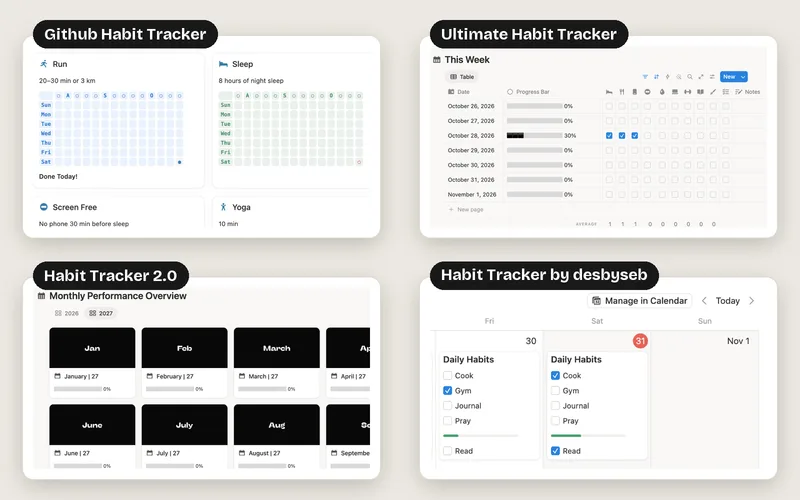
8 Free Notion Habit Tracker Templates, Tested for 2027 Notion’s own Habit tracker is the most downloaded free one, but on the free plan only one of its five charts shows, and until you delete its samples one button click ticks hundreds of days. The most rated, Ultimate Habit Tracker, stops on December 31, 2026, and six of the eight were last updated in 2025. Our Habit Tracker 2027 has a streak, a daily score and every day of 2027 set up, all on the free plan. See the list
-
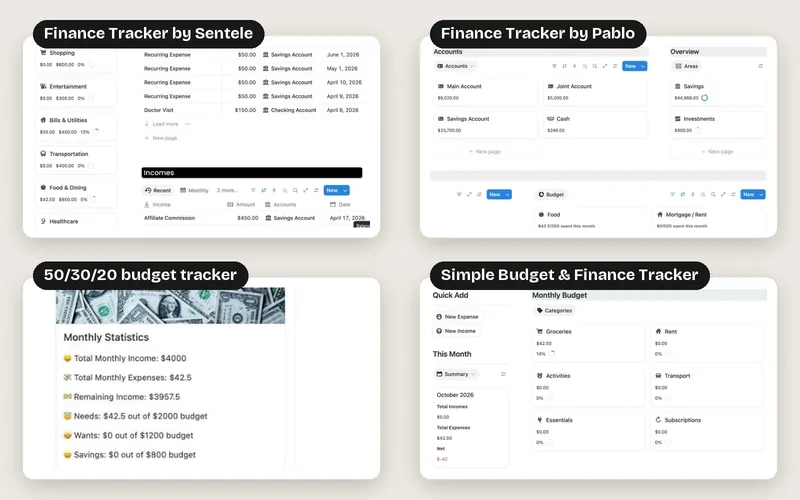
8 Free Notion Budget Templates, Tested for 2027 Notion’s own Personal Finance Tracker is the most downloaded free one, but on the free plan its dashboard asks for the Business plan and its automations for a paid plan. Simple Budget & Finance Tracker has month pages only through December 2026, and NoFi’s month fields stop at 2024. Our Budget Tracker 2027 has budget limits, account balances, bills, savings goals and debts, set up through December 2027 and all on the free plan. See the list
-
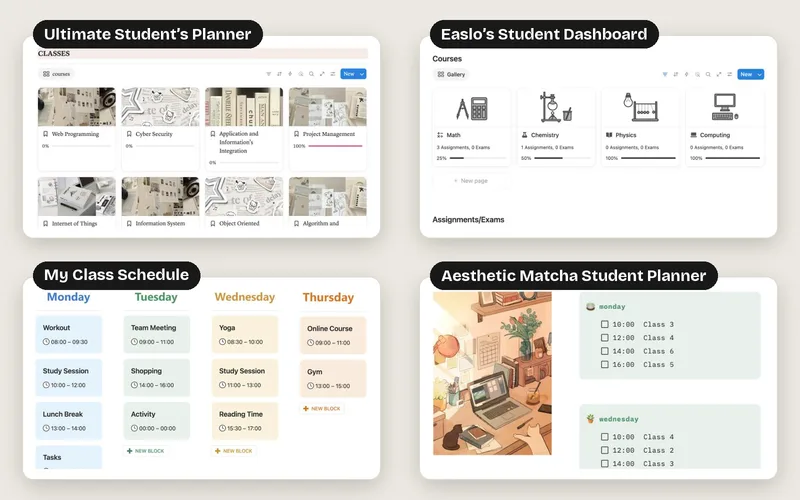
8 Free Notion Student Planner Templates, Tested for 2027 Notion’s own Student Planner and Student dashboard group your work by course, but they come with samples from 2023 and 2024 and have no class schedule. The most downloaded, Janice Studies’ student dashboard, is a cozy daily page with blank course pages, and none of the eight works out your grade. Our Student Planner 2027 shows your grade in every course, the score you need for your goal, exam countdowns and a weekly schedule built from your class times, all on the free plan. See the list