
Try a month in pixels
Pick a day to see its question, then choose how it felt. The dot takes the mood’s color and the line at the top counts your month, the way the formulas in steps 2 and 5 do.
November
5 days written, mostly Good
Friday, November 6
What would you do with a free afternoon?
How did the day feel?
1. Make a Days database
One page per day. Writing goes in the page itself; the properties are for the quick parts.
- Make a new page called Journal. On it, type
/tableand pick the table option to add a database. Call it Days. - Add the properties below.
| Property | Type | What it’s for |
|---|---|---|
| Date | Date | The day the page is for |
| Mood | Select | Great, Good, Okay, Low or Rough |
| In one line | Text | The day in a sentence |
| Highlight | Checkbox | Tick it on a day worth keeping |
Type the five moods exactly as written: the formulas later look for those names. Then click each one and give it a color, blue for Great down to red for Rough, so the page matches the dots.
2. A new question every day
A blank page is the hardest part of journaling. This formula gives every day its own question, picked by the day of the month.
let(
  questions, [
    "What made you smile today?",
    "What do you want to remember about today?",
    "What took more energy than you expected?",
    "Who did you talk to today, and how did it go?",
    "What are you looking forward to this week?",
    "What would you do with a free afternoon?",
    "What did you learn today, big or small?",
    "What has been on your mind lately?",
    "What did you do well today?",
    "What would make tomorrow a little easier?",
    "What small thing are you grateful for today?",
    "When did you feel most like yourself today?",
    "What are you putting off, and why?",
    "What did you eat today that you really enjoyed?",
    "What would you tell a friend who had your day?",
    "What would you like to do more of?",
    "What surprised you today?",
    "What drained you today, and what helped?",
    "Who made your day better?",
    "What are you proud of this month so far?",
    "What are you curious about right now?",
    "What did you do today just for you?",
    "If today had a title, what would it be?",
    "What worry can you let go of?",
    "What place would you like to go back to?",
    "What made you laugh recently?",
    "What do you want to say no to?",
    "What helped you feel calm today?",
    "What habit are you glad you have?",
    "What would you like to try this month?",
    "What went better than you thought it would?"
  ],
  questions.at(date(prop("Date")) - 1)
)
The 1st of every month gets the first question, the 2nd the second, and so on. Open any day and drag Question above the other properties, so it’s the first thing you read.
3. A new page every day
- Click the arrow next to the blue New button and choose New template.
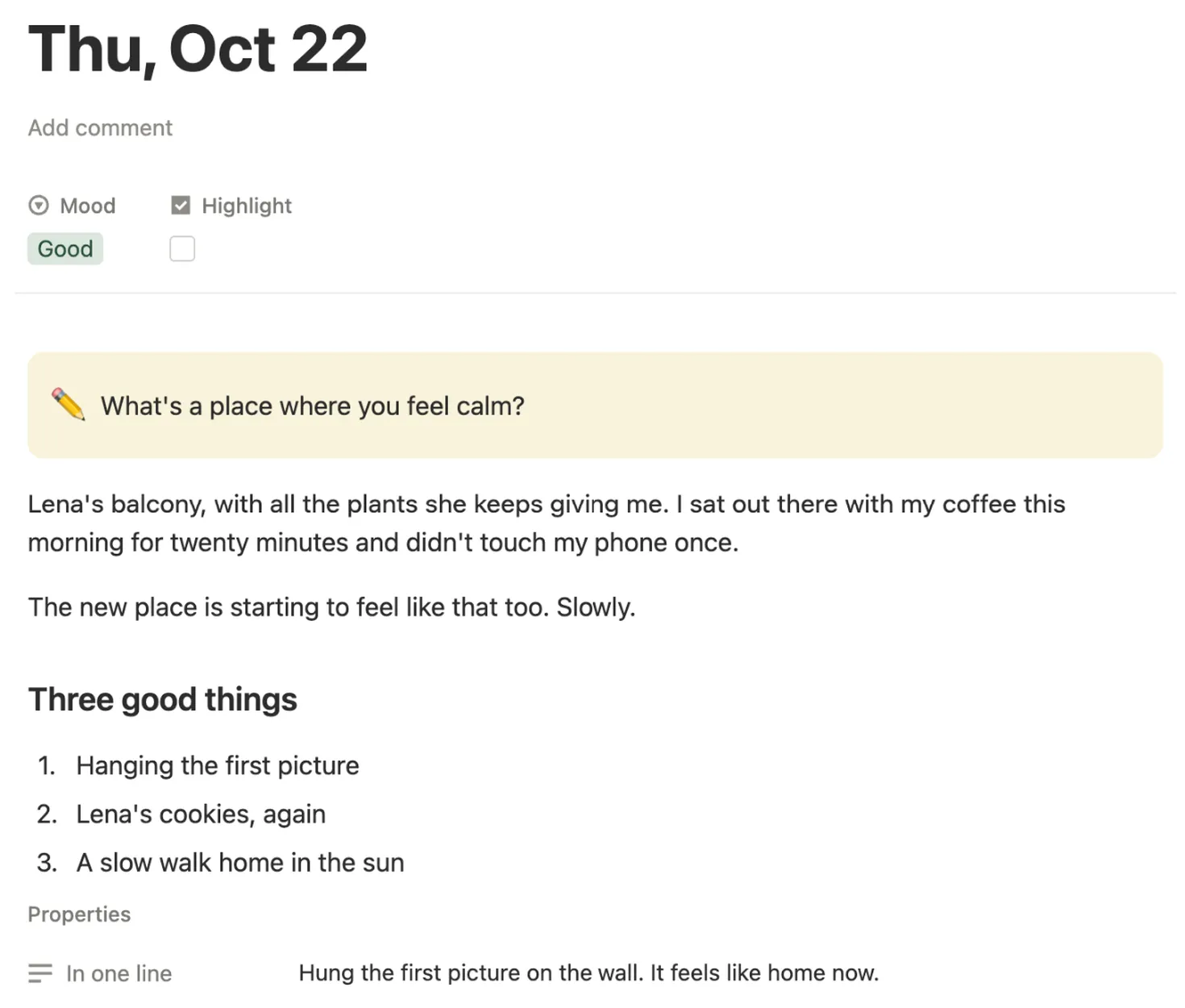
- In the template, click Date and pick Today under Shortcuts. Next to it Notion says Date when duplicated, so every copy gets its own day.
- In the body, add a heading Three good things with a numbered list under it. Anything you put here shows up on every new day.
- Click Duplicate every at the top of the template and choose Day. A fresh page now shows up each day.
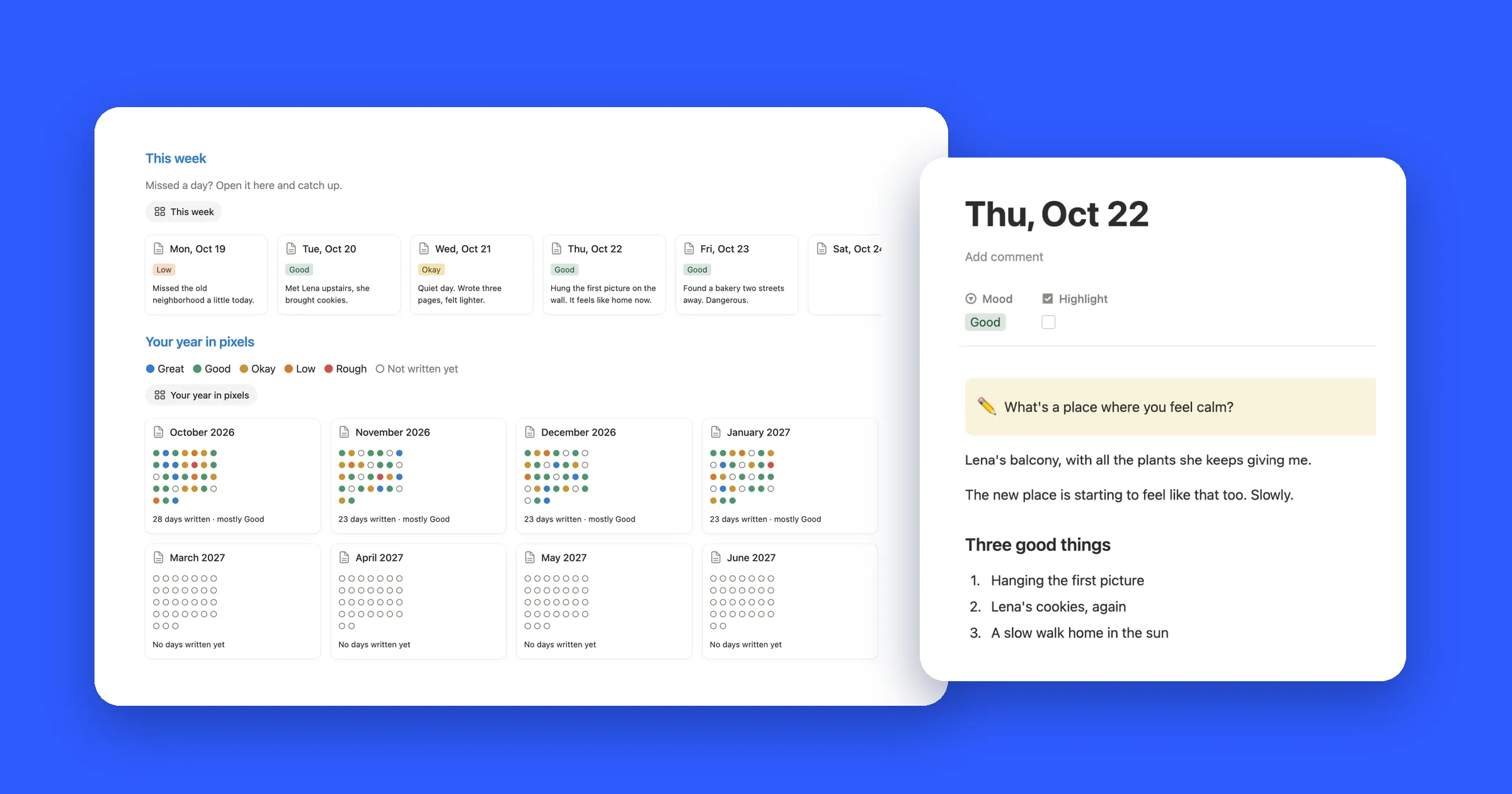
To open today in one tap, add a view just for it: click + next to the view name, add a Gallery view and give it the filter Date is Today. On your phone, add the Journal page to Favorites in the Notion app.
4. Your year in pixels
A year in pixels is one dot per day, colored by mood. A formula only sees its own page, so first link every day to one page that can see them all, like in our habit tracker guide.
- Add a second database called Year, with a single page in it: My year.
- In Days, add a Relation property called Year. Pick the Year database, turn on Show on Year and name the property it adds there Days.
- Open the Days template again and set Year to My year. Every new day now links itself.
- Open My year and add a Formula property called Year in pixels:
let(
  days, prop("Days").filter(
    year(current.prop("Date")) == year(today()) and
    current.prop("Date") <= today()
  ),
  names, ["Jan", "Feb", "Mar", "Apr", "May", "Jun", "Jul", "Aug", "Sep", "Oct", "Nov", "Dec"],
  [1, 2, 3, 4, 5, 6, 7, 8, 9, 10, 11, 12]
    .filter(let(m, current, days.some(month(current.prop("Date")) == m)))
    .map(let(
      m, current,
      names.at(m - 1) + "  " + days
        .filter(month(current.prop("Date")) == m)
        .sort(current.prop("Date"))
        .map(ifs(
          current.prop("Mood") == "Great", style("●", "blue"),
          current.prop("Mood") == "Good", style("●", "green"),
          current.prop("Mood") == "Okay", style("●", "yellow"),
          current.prop("Mood") == "Low", style("●", "orange"),
          current.prop("Mood") == "Rough", style("●", "red"),
          style("○", "gray")
        ))
        .join(" ")
    ))
    .join("\n")
)- days keeps this year’s days up to today.
- The list of 12 numbers is the months. Months with no days are left out, so a journal you start in May begins with a May row.
- Each day becomes a dot in its mood’s color, or an empty circle if you didn’t pick one.
5. Sum up the month
Add one more formula to My year. It counts the days you picked a mood this month and names the one you picked most:
let(
  days, prop("Days").filter(
    formatDate(current.prop("Date"), "YYYY-MM") == formatDate(today(), "YYYY-MM") and
    not empty(current.prop("Mood"))
  ),
  moods, ["Great", "Good", "Okay", "Low", "Rough"],
  counts, moods.map(let(m, current, days.filter(current.prop("Mood") == m).length())),
  top, moods.at(counts.findIndex(current == max(counts))),
  if(
    days.length() == 0,
    "No days written yet",
    format(days.length()) + if(days.length() == 1, " day", " days") +
      " written, mostly " + top
  )
)
Here’s what both showed in our test on October 31, with October 12 left out and no mood on October 23:
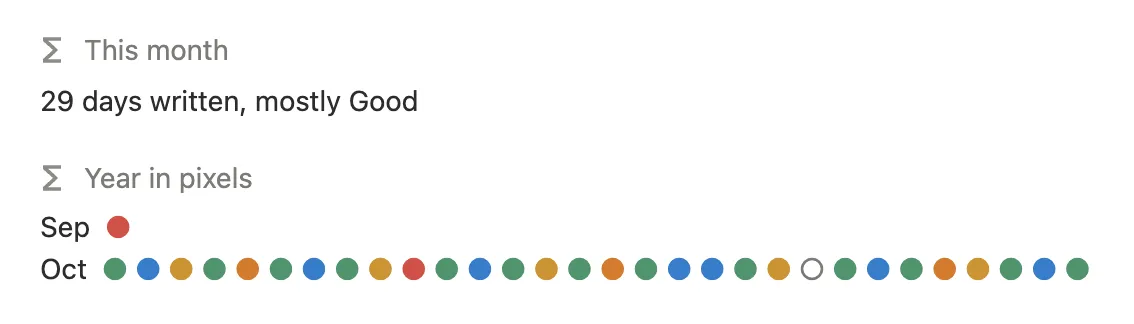
When two moods tie, the one higher in the list wins, so a month of 10 Good and 10 Okay days reads mostly Good.
6. Keep your best days
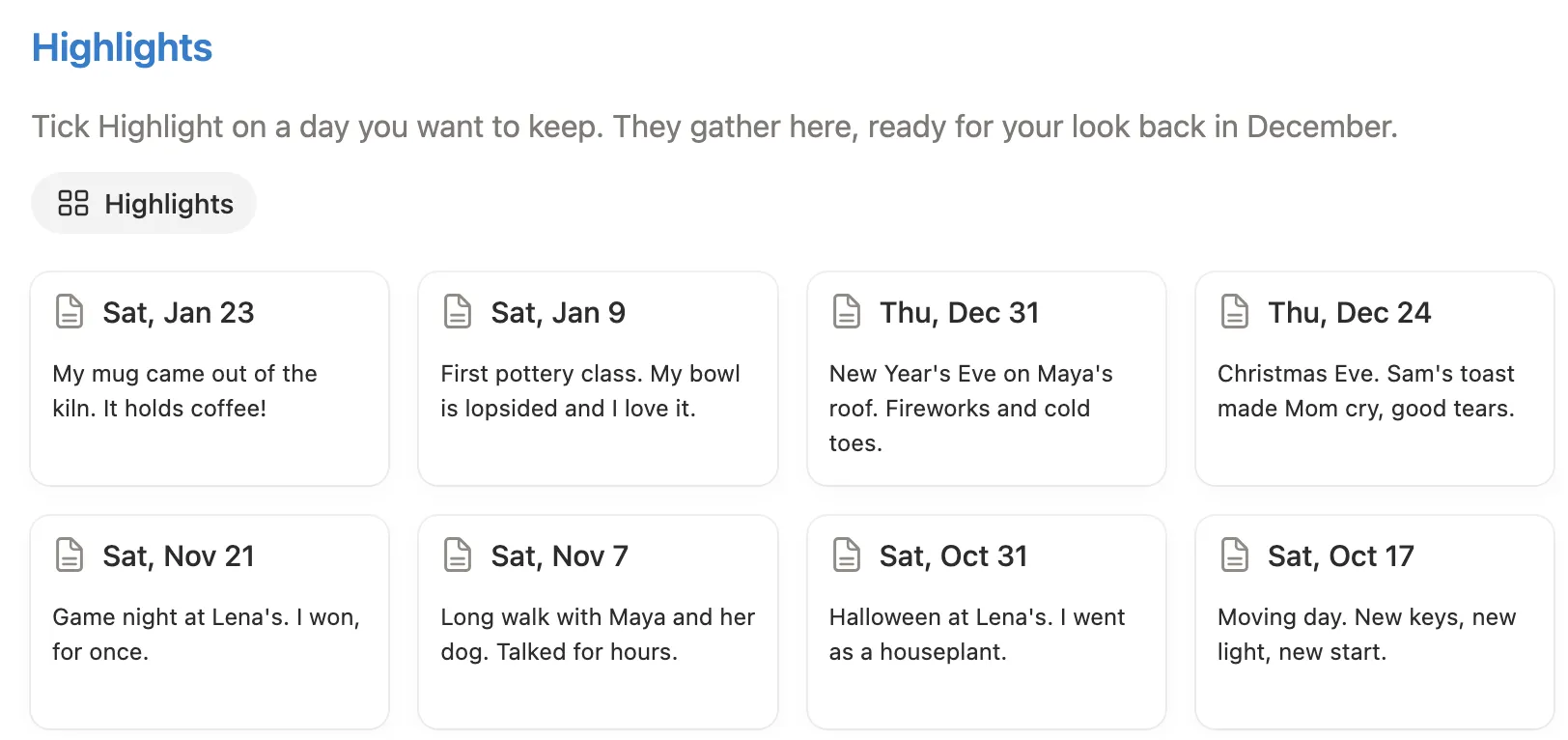
Back in Days, click + next to the view name and add a Gallery view called Highlights. Filter it to Highlight is checked, sort by Date, newest first, and turn on In one line under Properties. Tick Highlight on a good day and it joins the list.