

On a computer
This is the easiest way. Once the copy is in your workspace, it shows up in the Notion app on your phone too.
- Log in to Notion in your browser. A free account is enough.
- Open the template link. It’s a public page, usually with notion.site in the address.
-
Click the Duplicate icon at the top right. It looks like two small squares, next to the three dots.

- Pick the workspace you want it in. The copy shows up under Private in your sidebar, with all of its pages.
Not logged in? Notion asks you to log in or make a free account first. If you don’t see the copy afterwards, open the link again and click Duplicate.
On iPhone
- Open the template link in Safari or Chrome.
-
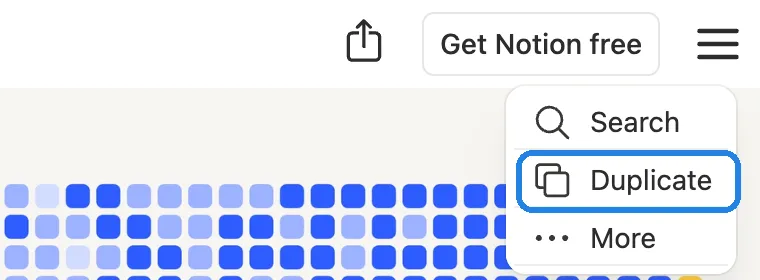
Tap the menu button, the three lines at the top right.

-
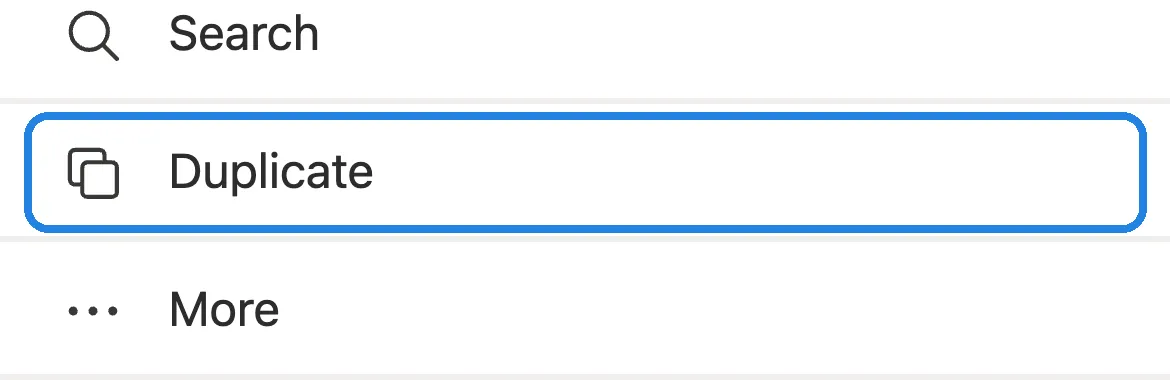
Tap Duplicate.
- Log in if Notion asks, then pick your workspace. Open the Notion app and you’ll find the copy under Private.
If the link opens in the Notion app and you can’t find Duplicate there, copy the link, paste it into Safari’s address bar and start again from step 2.
On iPad
It works like the iPhone: open the link in Safari, tap the menu at the top right and choose Duplicate.
Bought it on the Notion Marketplace?
Then there’s nothing to duplicate. At checkout you choose where the template goes, and Notion adds it to your workspace for you. Notion’s help says to buy and add templates on a computer or on the web.
To find it later, open Marketplace in your sidebar and select Added. You can make as many copies as you like inside that workspace.
Bought it on Etsy?
Etsy sellers usually send a PDF with the template link. Download it from Purchases on Etsy.com, because the Etsy app may not download files. Then open the link and follow the steps above.
After you duplicate
- Open Start here first if the template has one. That’s where most templates explain their setup.
- Add it to Favorites from the ••• menu at the top right, so it’s one tap away in the Notion app.
- See a block that says No access? It wasn’t meant to be copied, and you can delete it.
- Need it in another workspace? Open the ••• menu, choose Move to, pick the workspace and confirm. Notion makes a copy there and leaves the original where it was.
Duplicate not working? Here’s how to fix a Notion template that won’t duplicate.