
Notion Templates for Students
Six planners for school, from your first semester to your dissertation. Each one fits one stage, so you set up only what you need.
- 6 templates
- $4 to $12, paid once
- All work on the free Notion plan

Magnet Creative Recommended Creator on Notion

The 6 templates
-
-
-
-
-
-


Which one fits you
| Template | Pick it if | Price |
|---|---|---|
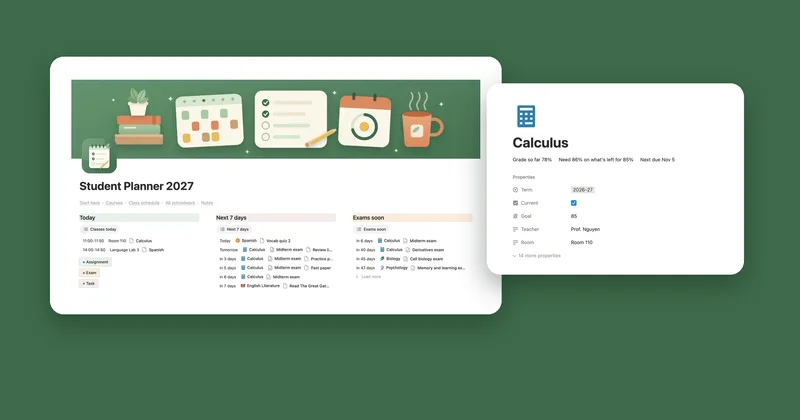
| Student Planner 2027 | You’re in high school, college or university and want classes, deadlines and grades in one place. | $4 Notion |
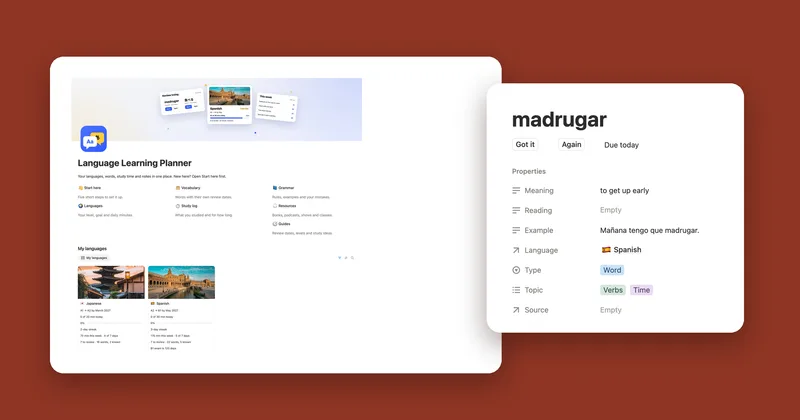
| Language Learning Planner | You’re learning a language and want new words to come back for review on the right day. | $10 Etsy |
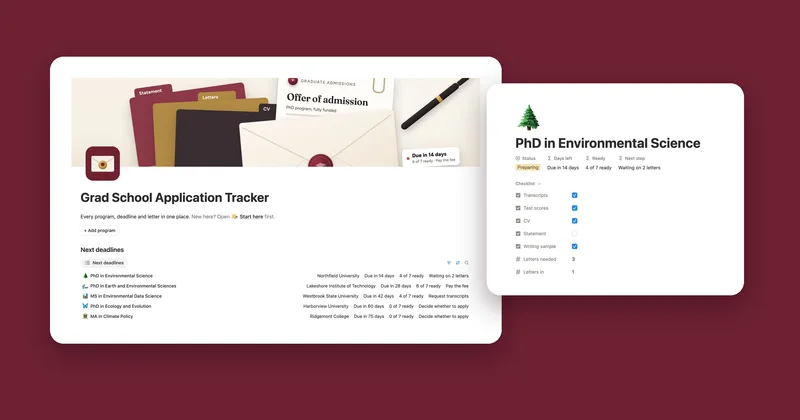
| Grad School Application Tracker | You’re applying to master’s or PhD programs and juggling deadlines, letters and offers. | $9 Etsy |
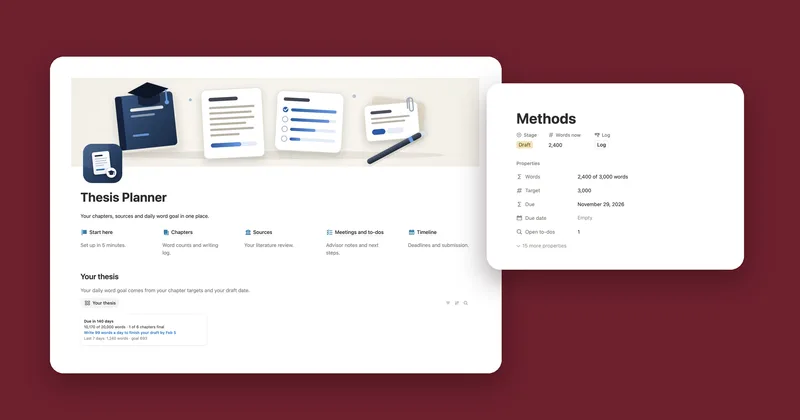
| Thesis Planner | You’re writing a thesis or dissertation and want a daily word goal up to your draft date. | $9 Etsy |
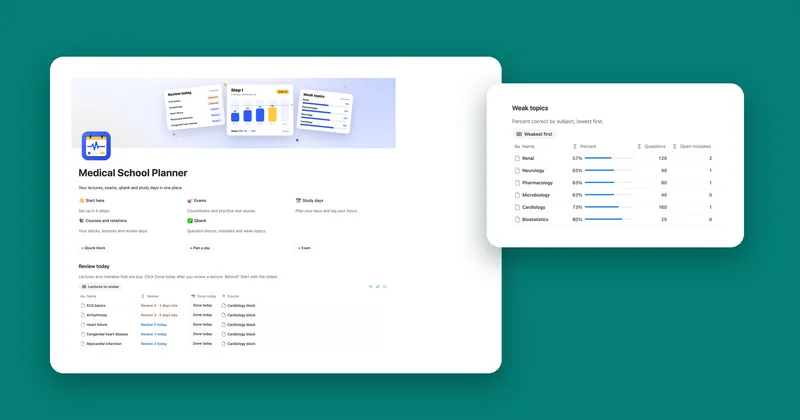
| Medical School Planner | You’re in med school and want lecture reviews, qbank scores and exam targets together. | $12 Etsy |
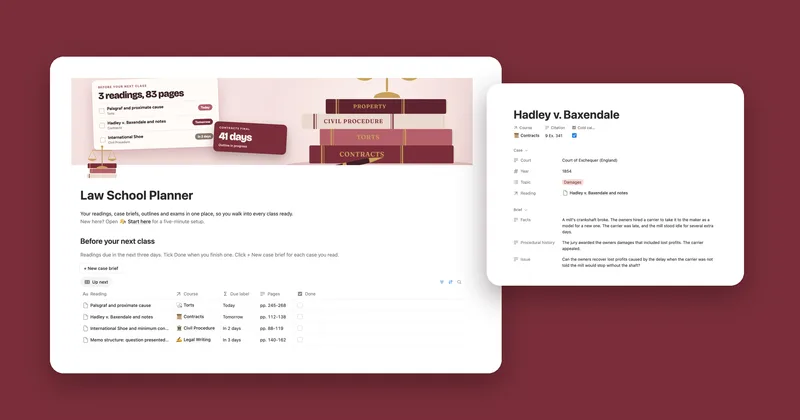
| Law School Planner | You’re in law school, brief every case and want each class’s reading in front of you. | $12 Etsy |
Each one is a single payment. You keep the template, with no subscription to renew.
Which one to start with
Most students need one of these, not all six. If you take classes and get graded, start with the Student Planner. It holds your schedule, assignments, exams and notes for every course, and shows what you need on the rest of the term to reach your goal grade.
Med and law school get their own planners because the work runs differently. Med students review the same lectures again and again and log qbank blocks, so the Medical School Planner brings each lecture back on its review days. Law students read and brief cases before every class, so the Law School Planner lists readings by due day and gives each case its own brief.
The Thesis Planner is for the long writing stretch at the end of a master’s or PhD, and the Grad School Application Tracker is for the season before you start one. The Language Learning Planner works next to any of them, whether you study a language in class or on your own.
Questions
Do these work on the free Notion plan?
Yes, all six. They’re built from databases, formulas and buttons, which the free plan includes, so there’s nothing to upgrade.
Can I use two of them at once?
Yes. Each one is its own template, so you can keep the Student Planner and the Language Learning Planner side by side in your workspace. They don’t share data, so every deadline lives in the planner it belongs to.
Does the Student Planner work out my GPA?
No. It shows a percentage for each course and what you need on the rest of the term to reach your goal. It doesn’t turn grades into a GPA or letter grades.
I’m still applying. Which one is for me?
The Grad School Application Tracker. It keeps each program’s deadline, what’s still missing, your recommenders, your statements and your offers, and it works for seniors applying to college too. The med school and law school planners are for once you’ve started.
Can I use them on my phone?
Yes, in the Notion app. Setting up is easiest on a computer. After that, checking what’s due or ticking off an assignment is quick on a phone.