
Notion Templates for Content Creators
Eight templates for planning what you post and checking what your ads and sites bring in.
- 8 templates
- $5 to $19, paid once
- All work on the free Notion plan

Magnet Creative Recommended Creator on Notion

Making content
-
-
-
-
-


Ads and analytics
-
-
-


Which one fits you
| Template | Pick it if | Price |
|---|---|---|
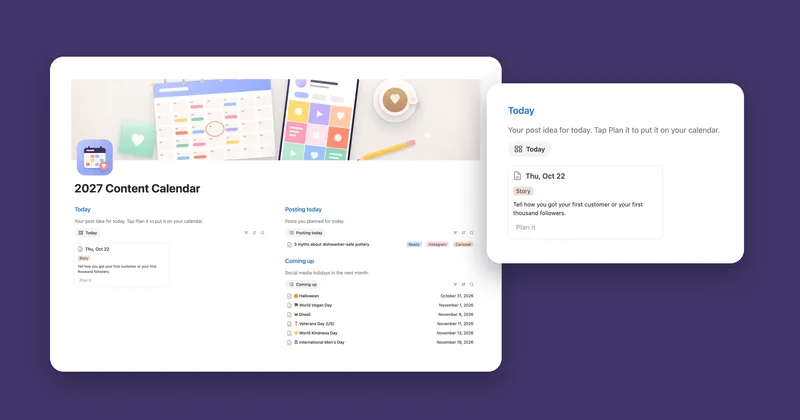
| Content Calendar 2027 | You post for a small business and often don’t know what to share. | $5 Notion |
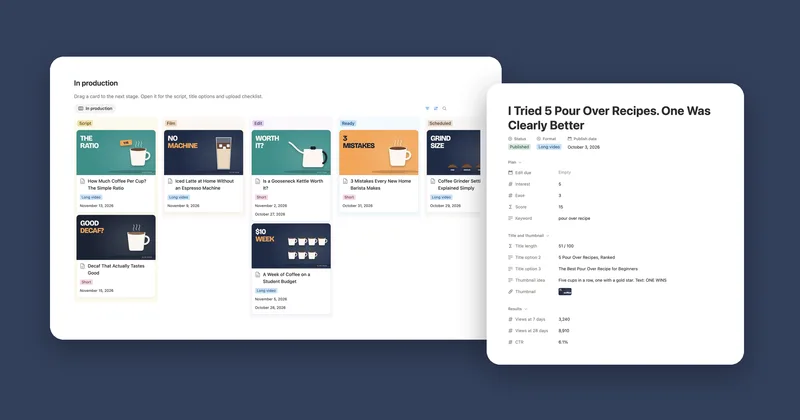
| YouTube Planner | You have more video ideas than time and want each script in one place. | $15 Etsy |
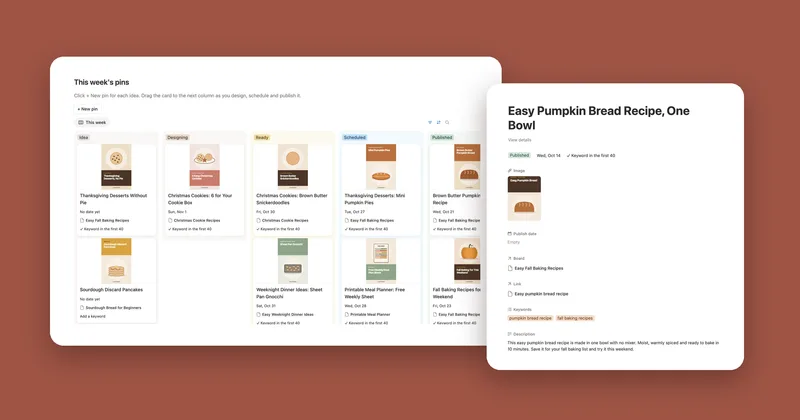
| Pinterest Planner | You use Pinterest to send people to your blog or shop. | $12 Etsy |
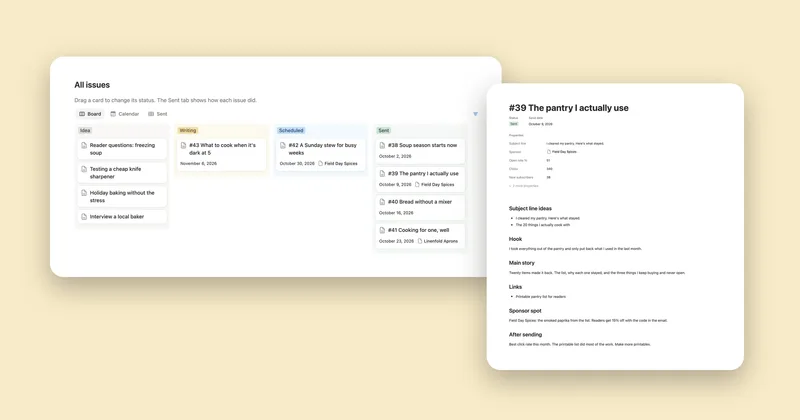
| Newsletter Planner | You send a newsletter every week or two and want ideas and sponsors kept. | $9 Etsy |
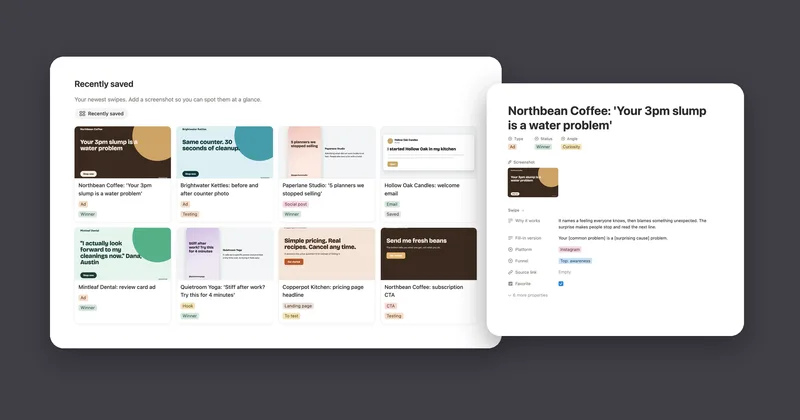
| Swipe File | You save ads and emails you like and can never find them again. | $12 Etsy |
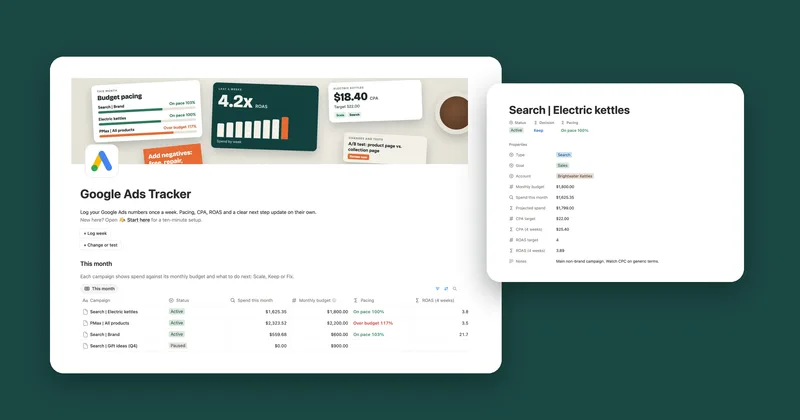
| Google Ads Tracker | You run Google Ads and want a weekly call: scale, keep or fix. | $19 Notion |
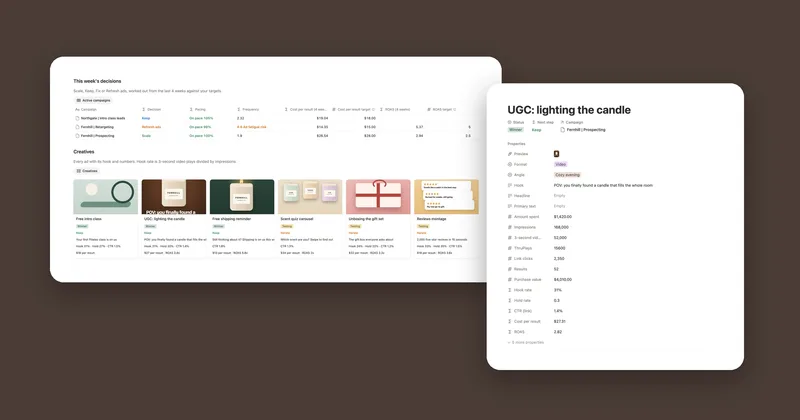
| Meta Ads Tracker | You run Facebook and Instagram ads and test a lot of creatives. | $15 Etsy |
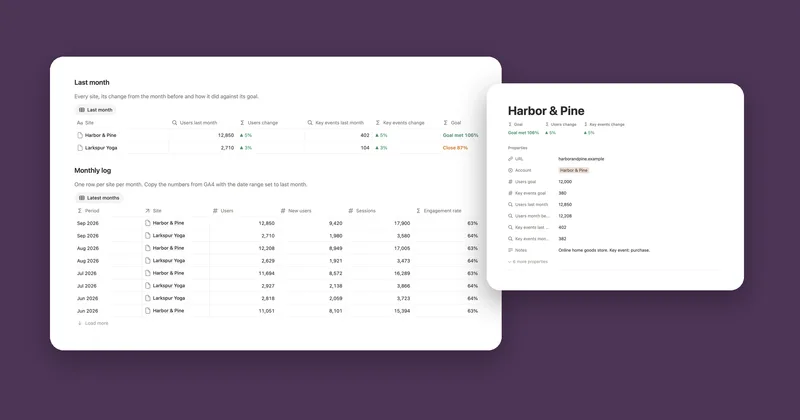
| GA4 Dashboard | You check Google Analytics once a month for one site or several. | $12 Etsy |
Each one is a single payment. You keep the template, with no subscription to renew.
A few numbers in, a clear answer out
The three trackers don’t connect to Google or Meta. Once a week you copy five numbers from Google Ads or six from Ads Manager, or a few from GA4 once a month, and the template does the math: budget pace, the change from last month and a next step for each campaign. It takes about five minutes a week, with no paid tools or connected accounts.
None of the content planners posts for you. They hold the ideas, drafts, dates and results, and you publish on YouTube, Pinterest or your newsletter app as usual. The Swipe File sits next to all of them, with 115 fill-in hooks for when you’re stuck on a first line.
Questions
Do the numbers come in from Google Ads, Meta or GA4 on their own?
No. You copy a handful of numbers in: weekly for the ad trackers, monthly for GA4. It takes a few minutes, and every total, pace and decision after that is worked out for you.
Can it post for me?
No. The Content Calendar, YouTube Planner and Pinterest Planner plan your posts. You still publish them yourself on each platform.
Can I use them for clients?
Yes for the ad and GA4 trackers: they keep each campaign or site apart and give you a monthly report to share. For a live dashboard that updates by itself, Looker Studio does that better. The YouTube Planner is made for one channel.
Do they all work on the free Notion plan?
Yes. The Google Ads Tracker has one chart, which is the one chart the free plan allows per workspace, and its numbers are in a table as well.