8 Free Notion Habit Tracker Templates, Tested for 2027
By Magnet Creative
Checked
We make Notion templates, and one of ours is on this page. It’s marked as ours and isn’t part of the ranking. How we tested
Short answer
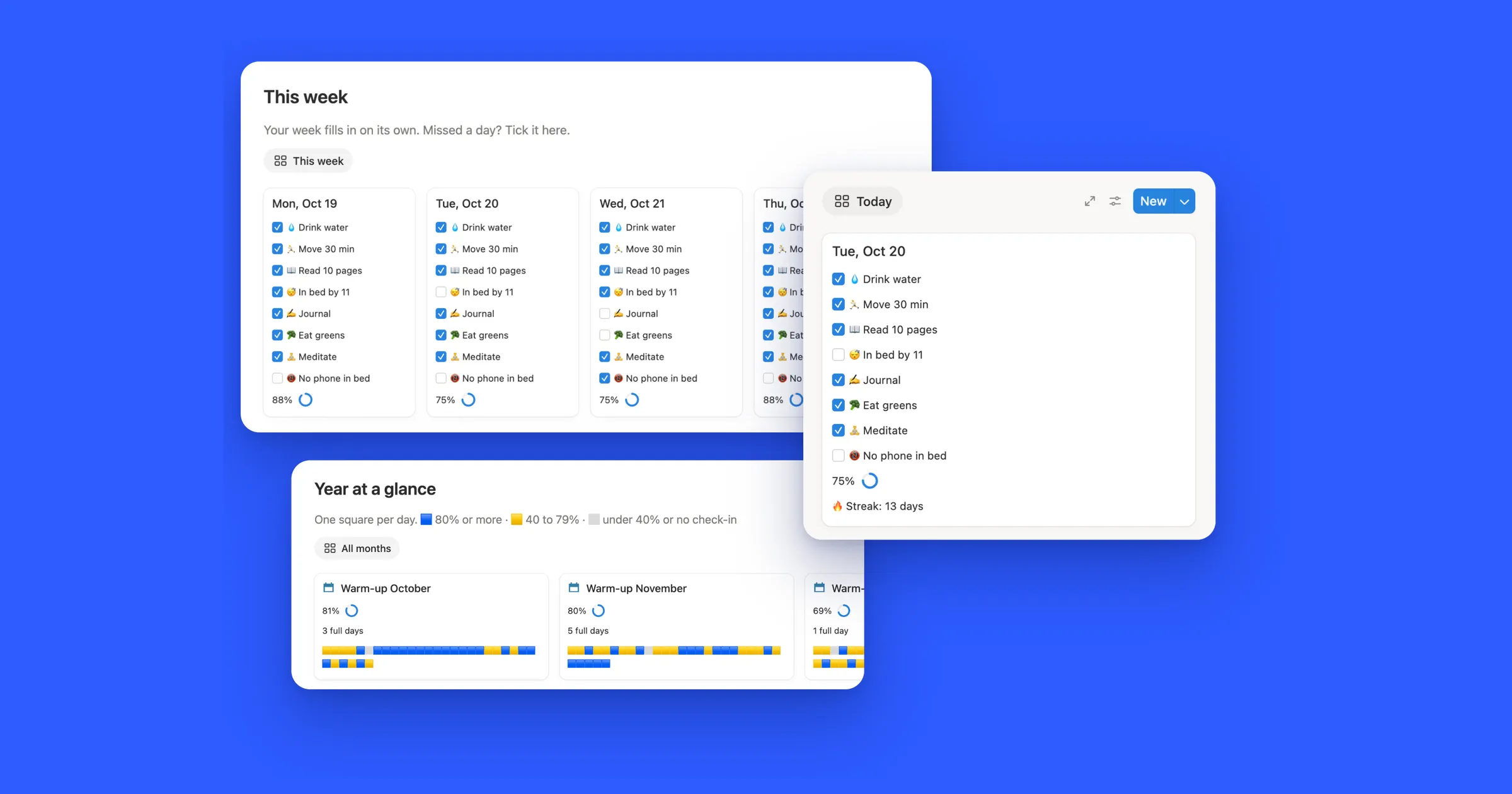
Notion’s own Habit tracker is the most downloaded free one, but on the free plan only one of its five charts shows, and until you delete its samples one button click ticks hundreds of days. The most rated, Ultimate Habit Tracker, stops on December 31, 2026, and six of the eight were last updated in 2025. Our Habit Tracker 2027 has a streak, a daily score and every day of 2027 set up, all on the free plan.
Pick what matters to you and the table keeps only the templates that have it. Click a name to jump to what we found when we used it. Numbers are from each
template’s Marketplace page on October 31, 2026.
Free plan: Notion’s free plan shows one chart per workspace. A template with a chart works, but its chart stays locked if your workspace already uses its one chart.
How we tested them
We’re Magnet Creative, and we make Notion templates. On October 31, 2026 we opened the free habit tracking templates on the Notion Marketplace, sorted
by most copied, and picked the most popular ones that do the classic job: tick your habits each day and see your progress.
We copied each one into a workspace on the free Notion plan, the same way you would.
We ticked habits, clicked every habit button and opened every view.
We noted what a new copy comes with: sample data, charts, and how far its days run into 2027.
We took our own screenshots, wrote down what we saw, and then deleted our copies.
The order: Notion’s own template first, then the rest by downloads on the Marketplace. We left out one free template that
requires your email before you can copy it, and paid templates by other makers, since we didn’t buy them to test.
1Habit tracker by Notion
by NotionGood for one button per habit, from Notion itself
One click on Ran today before deleting the samples: Running got ticked on every sample day.
Downloads
219,059
Rating
4.6 from 1,827
Last updated
July 2025
Price
Free
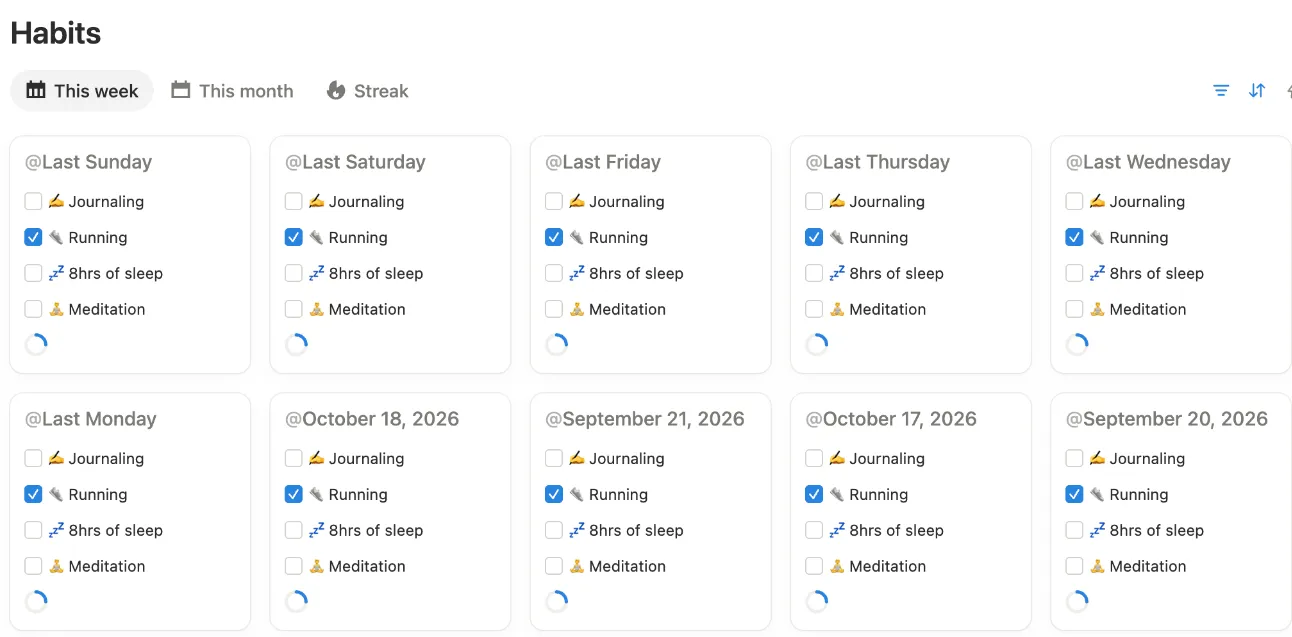
A Habits database with a card for each day, four habit checkboxes and a progress ring. A repeating template adds a card every day at
midnight. Four buttons at the top (Ran today, Meditated, Got 8hrs, Journaled) tick that habit on today’s card.
What we saw: right after copying, one click on Ran today said “Edited 690 pages”, because every sample card counts as made today. The template’s own
instructions say to delete the sample cards first, and that fixes it. Each habit also has a chart, and the free plan shows one chart per workspace.
Good
Made by Notion, with the most downloads on this list
A new card appears every day on its own
Buttons tick a habit without opening anything
Watch out for
Delete the sample cards first, or one button click ticks hundreds of days
Five charts, and the free plan shows one
A new habit takes a checkbox, a button and a formula edit
by Maro CreationsGood for a daily score in one table
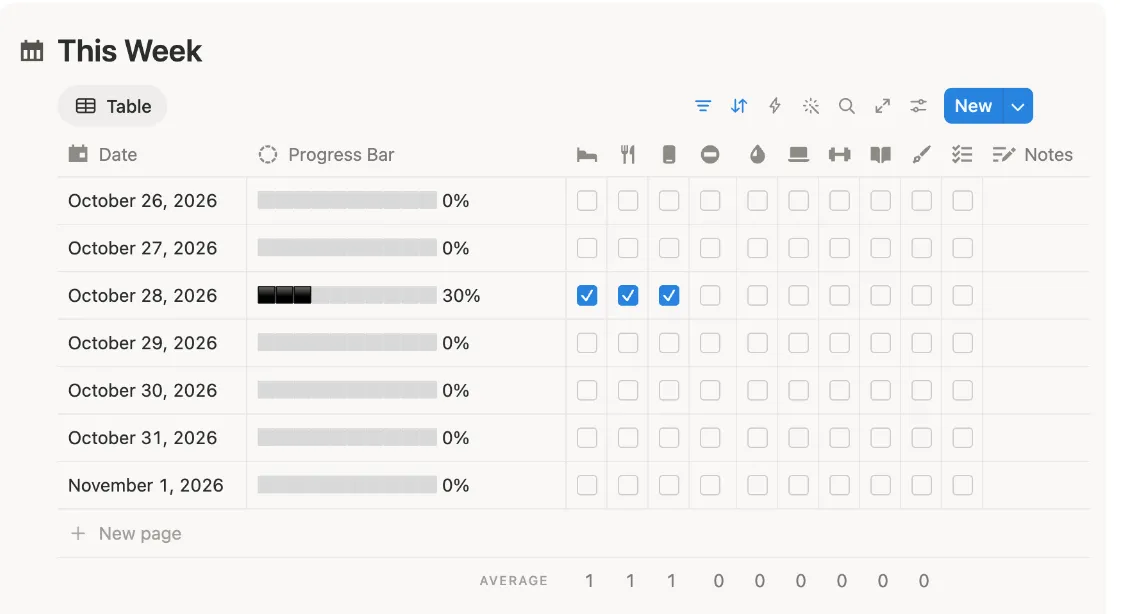
Three of ten habits ticked on October 28: the bar fills to 30%.
Downloads
195,841
Rating
4.8 from 5,035
Last updated
December 2025
Price
Free
A table with one row per day and a checkbox column for each of 10 habits, with a progress bar that shows the share you did. This Week and This Month sit
on the main page, with a card per month showing its average and a My Wins table for streak goals from 30 to 365 days.
What we saw: ticking 3 of 10 boxes filled the bar to 30%, and it all works on the free plan. The catch for 2027: the copy has a row for every day of 2025
and 2026 and stops at December 31, 2026. From January 1, This Week stays empty until you add each day and link it to its month. The month cards have no
year, so a second year adds into the same twelve cards.
Good
A clear score for every day
10 habits ready, with icons
Everything works on the free plan
Watch out for
Days stop at December 31, 2026, so for 2027 you add each day yourself
by desbysebGood for ticking habits right on a calendar
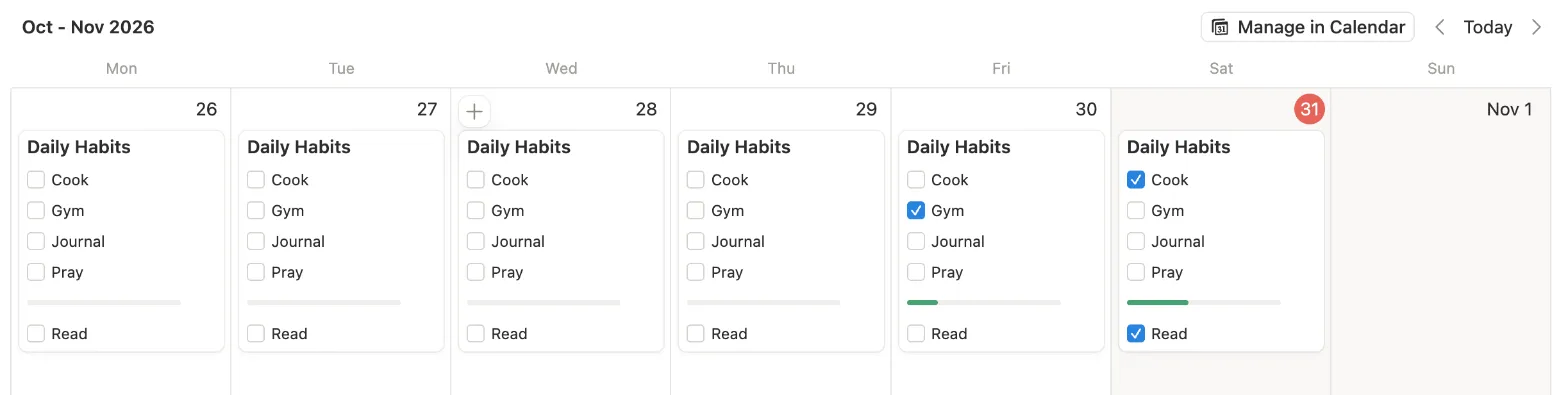
Our ticks on Friday and Saturday: the bar grows with each habit.
Downloads
62,920
Rating
4.8 from 968
Last updated
February 2026
Price
Free
One database with a card for each day and five habits: Cook, Gym, Journal, Pray and Read. In the This Week tab you tick boxes right on
the day’s card, and a bar shows how much you did. Overview is a month calendar, and Progress is a chart.
What we saw: the day template is set to repeat daily, so a new card shows up every day. The copy came with a card for every day up to the day we copied
it. Ticking one habit filled a fifth of the bar, two filled two fifths. When you copy it, it asks for your email, but you can skip that.
Good
Tick on the calendar without opening a page
A new day card appears on its own
Five habits, easy to read
Watch out for
The Progress tab is a chart (your one free chart)
The bar shows no number
An offer for a paid Notion plan and the maker’s paid templates on the page
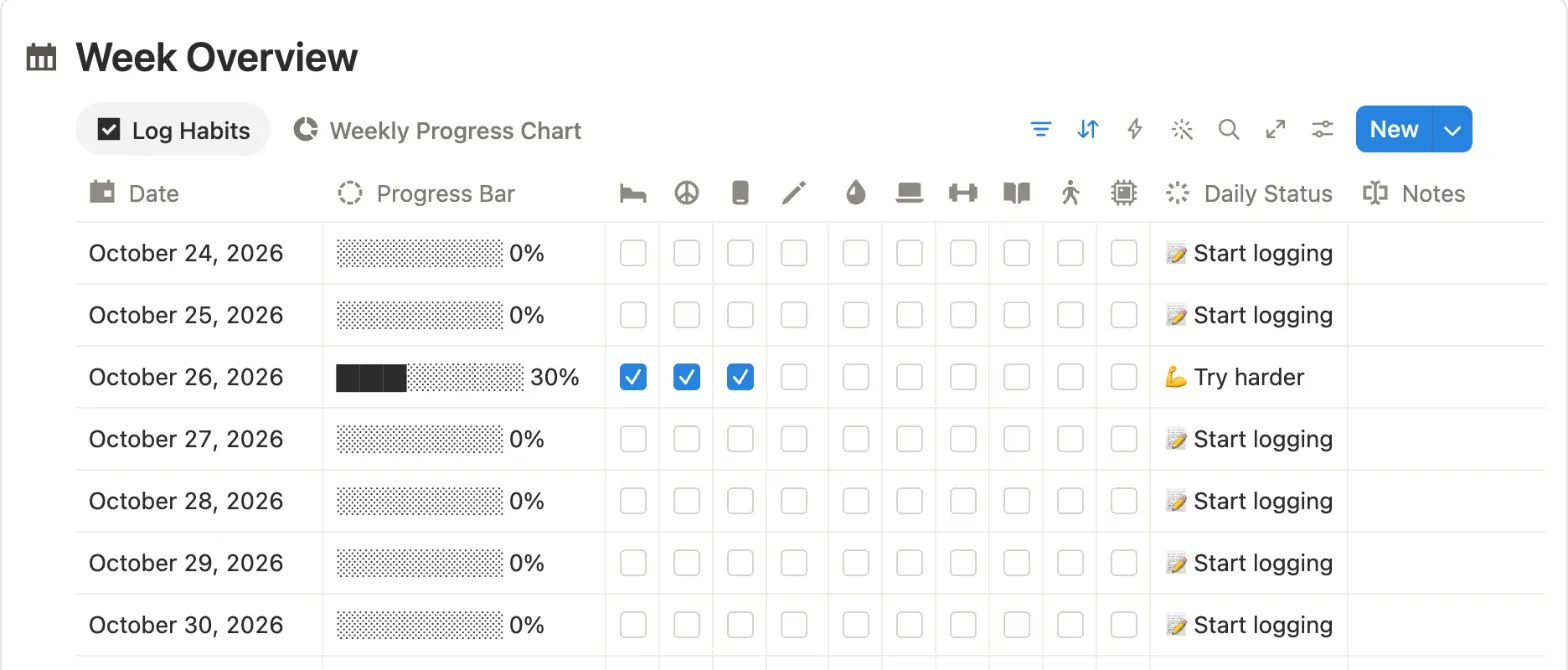
by Dash SmithhGood for starting 2027 with nothing to add
Three of ten habits ticked: the bar shows 30% and the status says Try harder.
Downloads
45,682
Rating
4.8 from 886
Last updated
March 2026
Price
Free
A Week Overview table with a row per day, ten habit checkboxes, a text progress bar and a status that changes with your score. Below it:
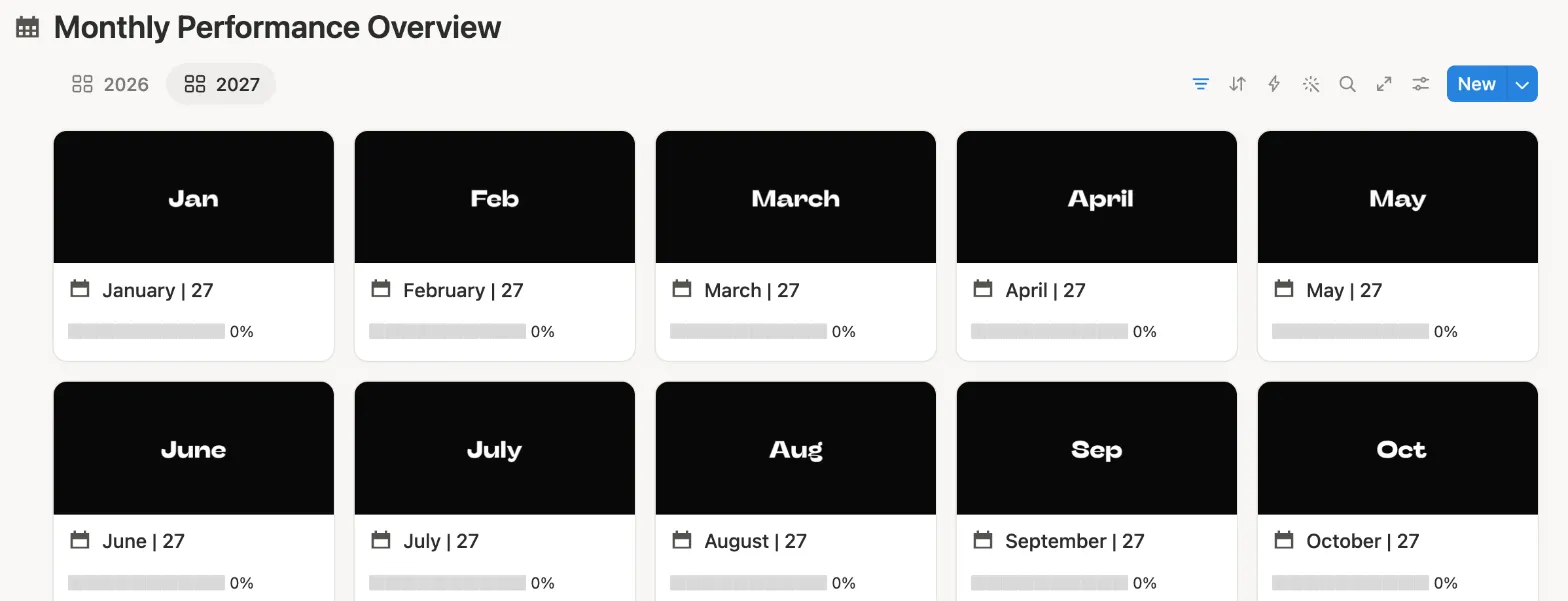
a full month table, month cards for 2026 and 2027, and a Streak Milestones table from 20 to 100 days.
The 2027 tab: every month is already there.
What we saw: the copy has a row for every day from January 2025 to December 31, 2027, each linked to its month card, so 2027 needs no setup. Ticking 3 of
10 habits showed 30%. Everything works on the free plan except the chart tab.
Good
Every day through December 31, 2027 is already there
Month cards for 2026 and 2027 with a % each
A daily % and a status line
Watch out for
The Weekly Progress Chart uses your one free chart
The streak in Streak Milestones is updated by hand
Several ads for the maker’s paid version on the page
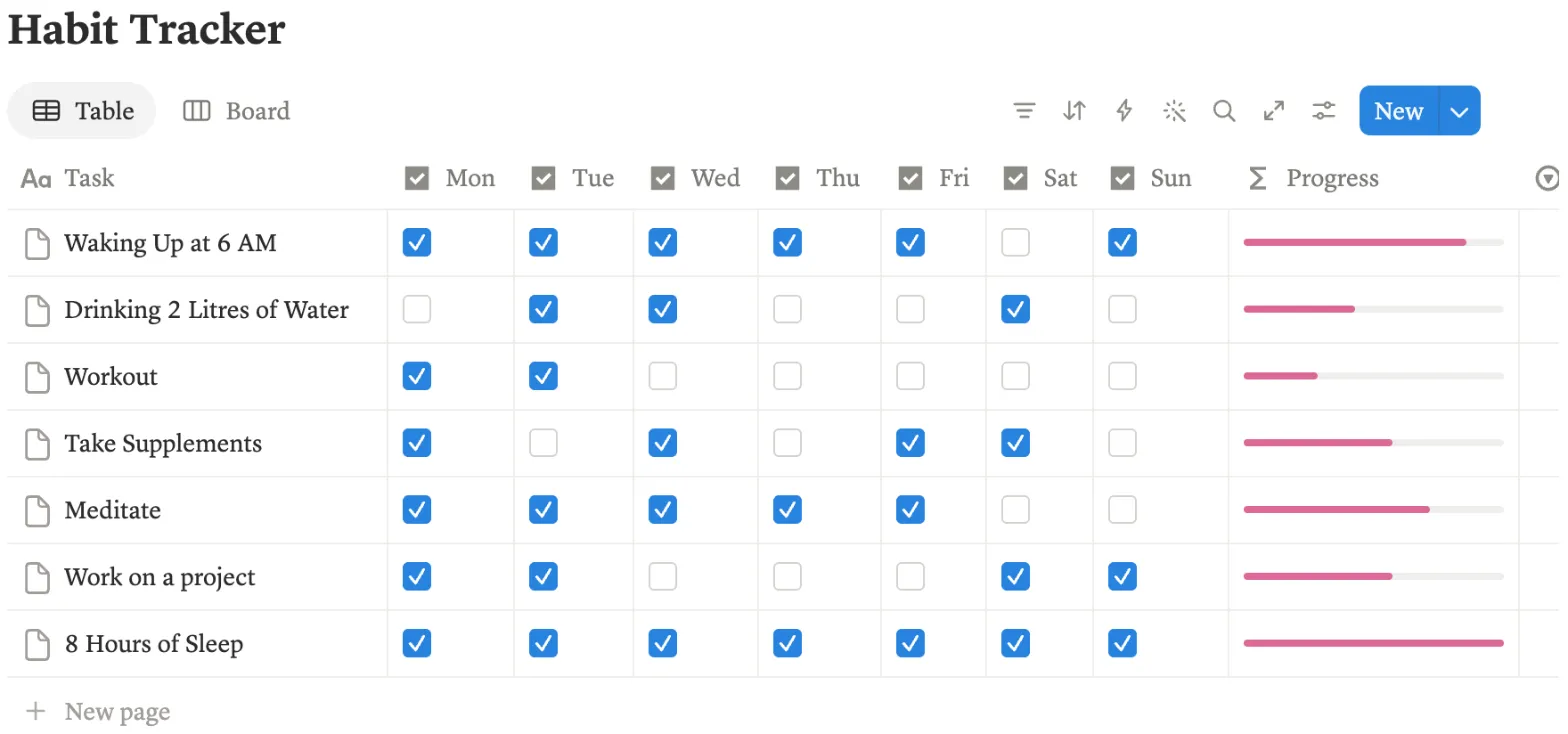
by MehakGood for one simple week on a soft pink page
Ticking Tuesday on Waking Up at 6 AM moved its bar from 5 of 7 to 6 of 7.
Downloads
42,923
Rating
4.8 from 989
Last updated
July 2025
Price
Free
One table with a row for each habit and a checkbox for each day, Monday to Sunday, plus a bar for each habit. Around it: a clock, a to-do list, weekly
goals, top priorities, reminders, and morning and night routine checklists.
What we saw: there are no dates, so it never runs out, but it also keeps no past weeks. The clock is an embed from another site and only showed a
spinner in our copy.
Good
Easy to read at a glance
A new habit is one new row
Everything works on the free plan
Watch out for
Keeps no history: last week is gone once you untick it
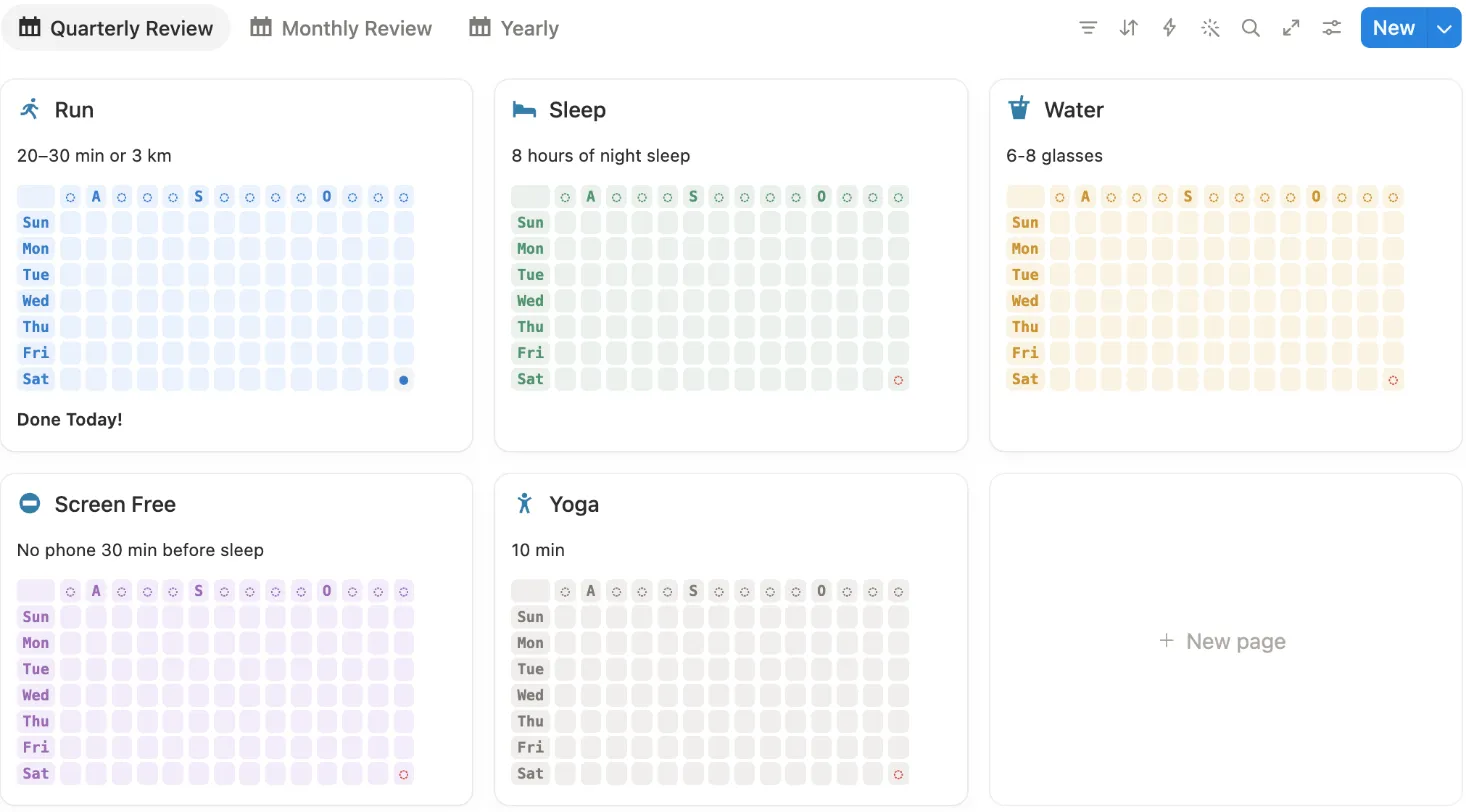
Our copy after one click on Check for Run: Saturday, October 31 is filled in.
Downloads
33,021
Rating
4.8 from 232
Last updated
July 2025
Price
Free
Each habit is a card with a Check button. Click it and today’s square fills in on a grid that looks like a GitHub contribution chart:
the days of the week down the side and about three months across. Monthly and yearly grids sit in the other tabs.
What we saw: the copy came with no old check-ins, so the grids start empty on whatever day you begin. One click on Check filled in Saturday, October 31
and the card said “Done Today!”. The Quarterly tab is the one to keep open; the Yearly tab got hard to read on a laptop screen.
Good
One click per habit, and the grid fills in on its own
No dates to set up, so it works in any year
Everything works on the free plan, no charts
A new habit is one new card
Watch out for
No score for the whole day, only a grid per habit
The Yearly tab wrapped onto extra lines on a laptop screen
by EasloGood for big habit buttons and a short video
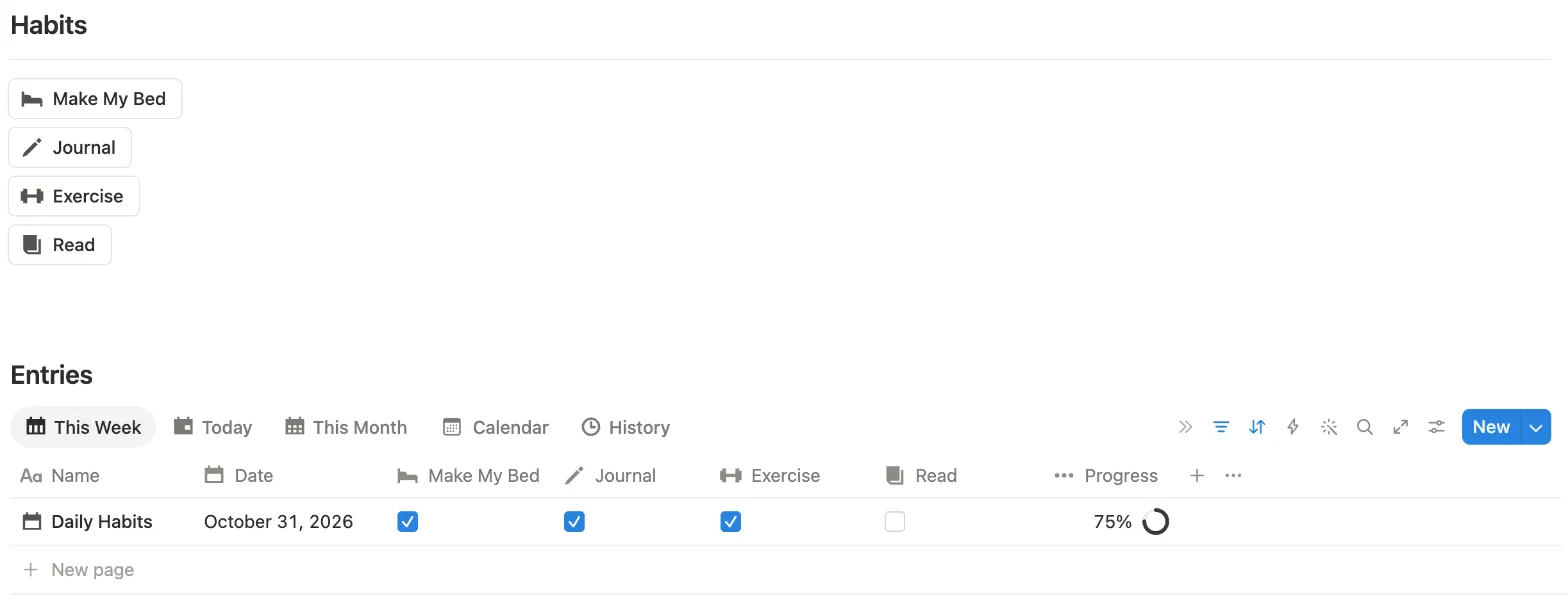
Three buttons ticked their habits: 75%. The Read button needed a fix first.
Downloads
28,716
Rating
4.8 from 498
Last updated
May 2025
Price
Free
Four buttons (Make My Bed, Journal, Exercise, Read) above an Entries database with a % for each day and tabs for this week, today, this
month, a calendar and history. A 1 minute 38 second video at the top shows how it works.
What we saw: the buttons tick today’s entry, so you first add today with New. That one isn’t set to repeat, so it’s one click each day.
Make My Bed, Journal and Exercise worked. The Read button said it edited a page but left Read unticked: in its settings, Read had no value. Open the
button and set Read to checked, and it works.
Good
A short video walkthrough at the top
Big buttons that ask before they tick
A daily % with a ring
Watch out for
You add each day with New, unless you set it to repeat
by Alireza MirzadehGood for a streak count for each habit
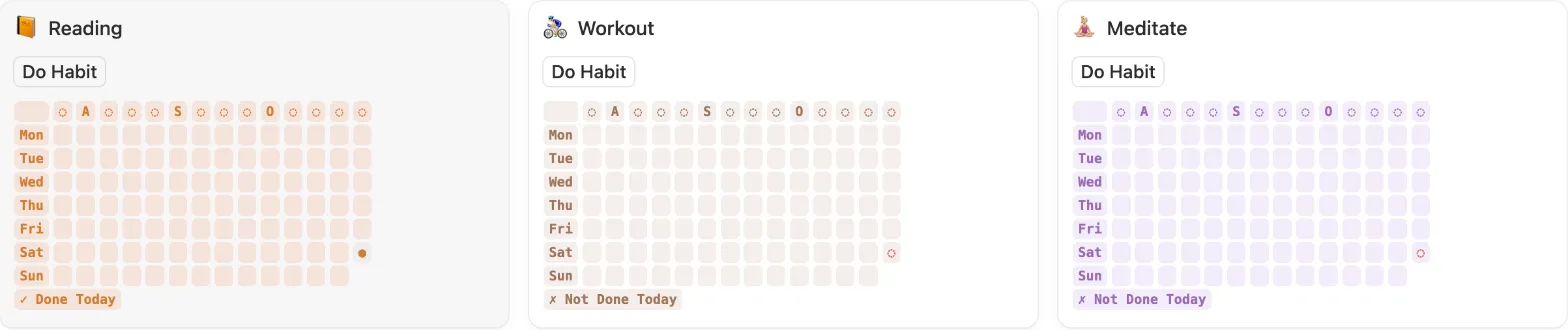
One click on Do Habit for Reading: today’s square filled in and the card says Done Today.
Downloads
22,474
Rating
4.8 from 257
Last updated
July 2025
Price
Free
Six habit cards, each with a Do Habit button and a grid of the last few months. The Stats tab counts how often you did
each habit this month, this quarter, this half year and this year, and shows your current streak. A calendar sits below.
Stats after our click: Reading shows 1 this October and a 1 day streak.
What we saw: like the Github tracker, it has no charts and no dates to set up. A fresh copy came with a few sample check-ins (Workout showed 5 this
quarter before we did anything), so clear those first.
Good
A streak number for every habit
One click per habit
Works in any year, all on the free plan
Counts for this month, quarter and year
Watch out for
No score for the whole day
A new copy has a few sample check-ins that count in Stats until you delete them
We make Notion templates, and Habit Tracker 2027 is ours. It costs $9, so it isn’t ranked with the free ones above. None of the eight free
ones has a streak, a daily score and a year of colored squares, all on the free plan, with every day of 2027 set up. Ours has all of them.
Yes, many. Notion has its own, and on October 31, 2026 the Notion Marketplace listed more than 1,700 free habit tracking templates. All eight on this page are free: open the Marketplace page, click Get template and pick your workspace.
Which free Notion habit tracker works for 2027?
Github Habit Tracker and Best Habit Tracker (Streak) have no dates to run out, so they work in any year. Habit Tracker 2.0 already has a row for every day through December 31, 2027. Notion’s own tracker and the one by desbyseb add a new card every day. Ultimate Habit Tracker stops at December 31, 2026, so for 2027 you add the days yourself.
Do free habit trackers work on the free Notion plan?
Yes, all eight do. The one limit we hit was charts: the free plan shows one chart per workspace. Four of the trackers here have charts, so if you already use your one chart, those views stay locked. The rest of each template works.
Can I get a habit tracker with a graph or progress bar for free?
Yes. Ultimate Habit Tracker, Habit Tracker 2.0 and the one by desbyseb show a progress bar for each day. Github Habit Tracker and Best Habit Tracker (Streak) draw a grid of colored squares with formulas, so they need no chart at all.
Why did you leave some popular habit trackers out?
We only list templates we copied and used ourselves. We didn’t buy paid templates by other makers, so they aren’t here. We also left out one free template that requires your email address before you can copy it.
Why is your own template on this page?
We make Notion templates, and Habit Tracker 2027 is ours. It costs $9, so it’s not ranked with the free ones. It has its own section at the end, with what it adds over the free ones.