

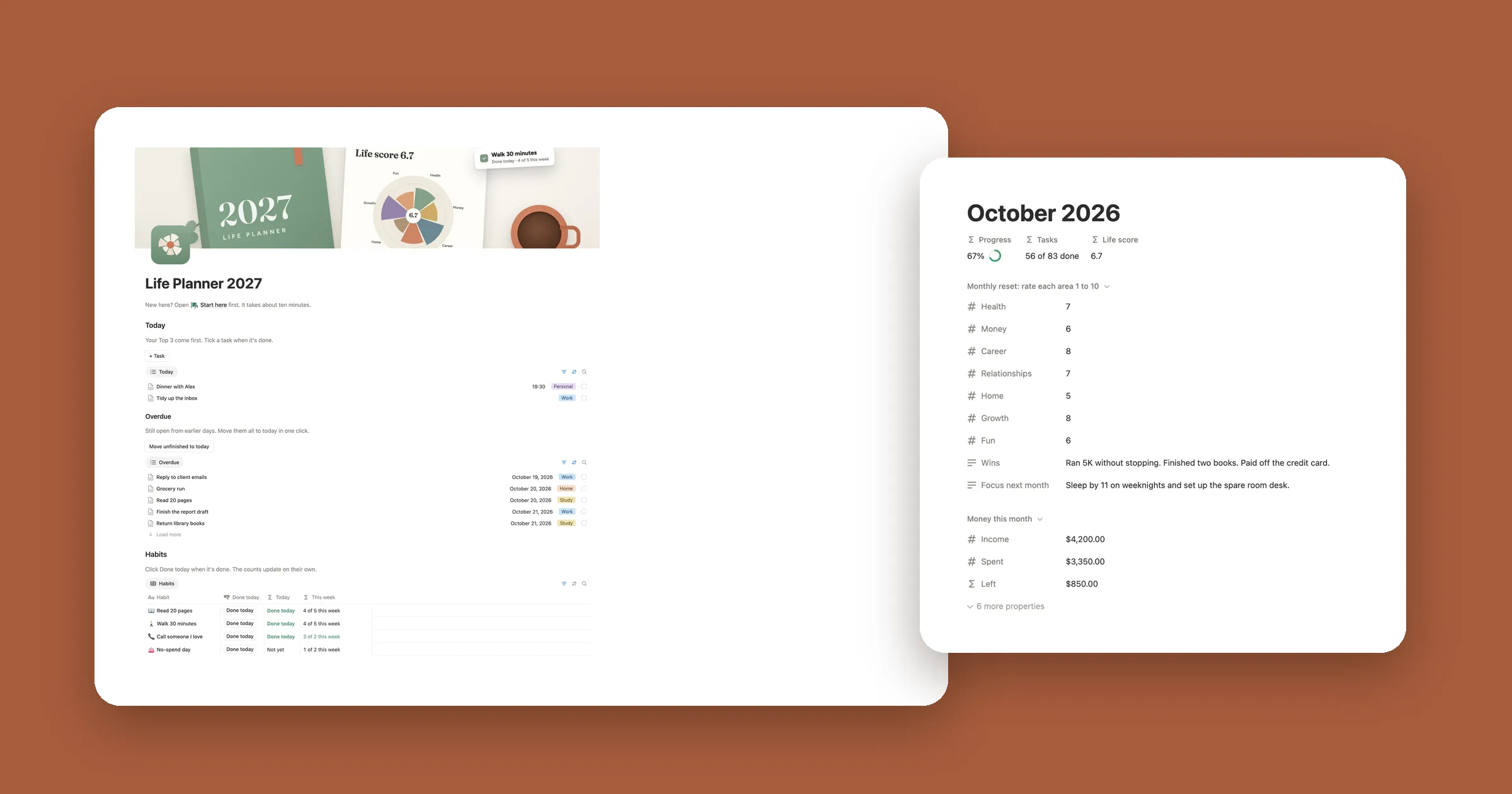

18 homepage ideas
Every idea comes from a real home page of one of our templates. Pick a kind of page, or scroll through them all.
-
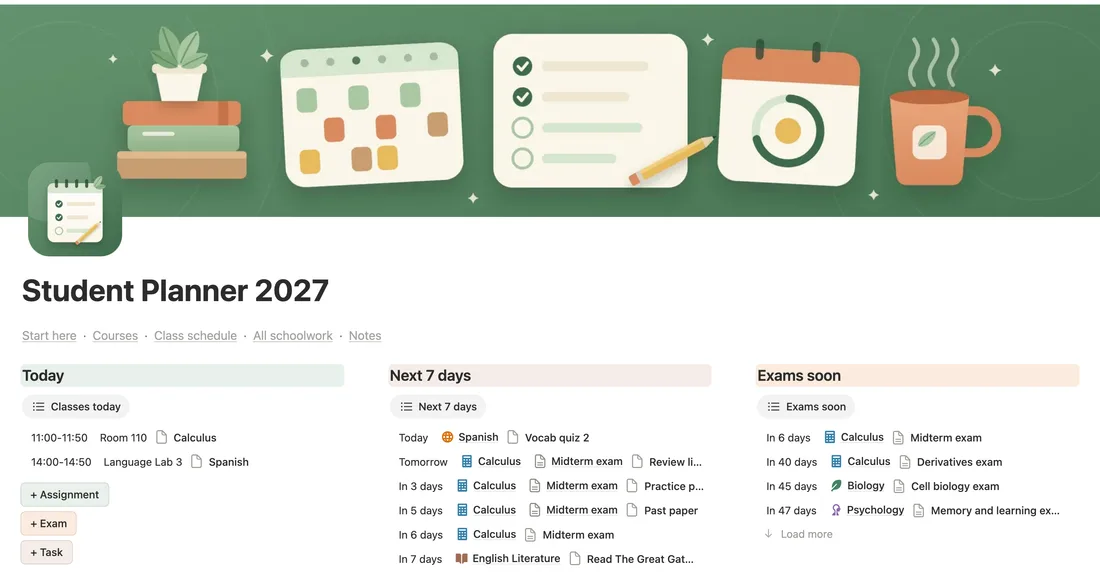
Today first, then what’s next
From our Student Planner 2027
Three columns: today’s classes, the next seven days and exams coming up. You know what to do before you scroll.
How to make it Type
/columnsand pick 3 columns. Under each heading, add a view of your schoolwork with/linkedand its own filter: Date is today, Date is within the next week, Type is Exam. -
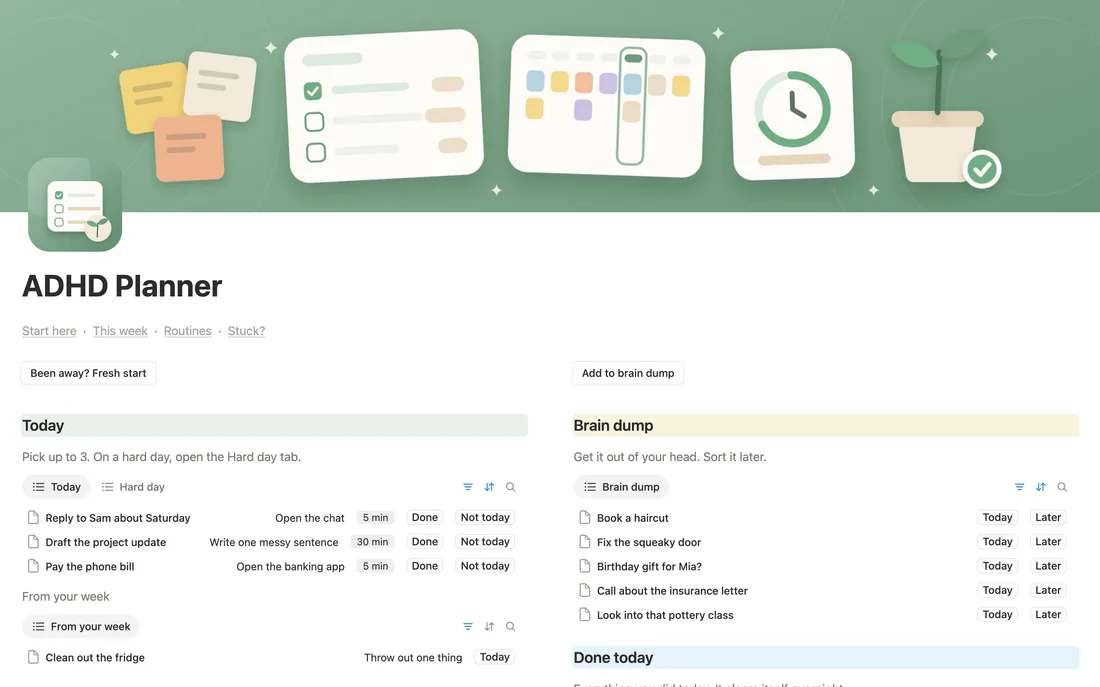
A brain dump next to today
From our ADHD Weekly Planner
Today holds three things at most. Everything else goes in the brain dump beside it, so every thought has a place and today stays small.
How to make it Two columns. On the left a Today view of your tasks, on the right a plain list called Brain dump. Move a thought into Today only when you’re ready to do it.
-
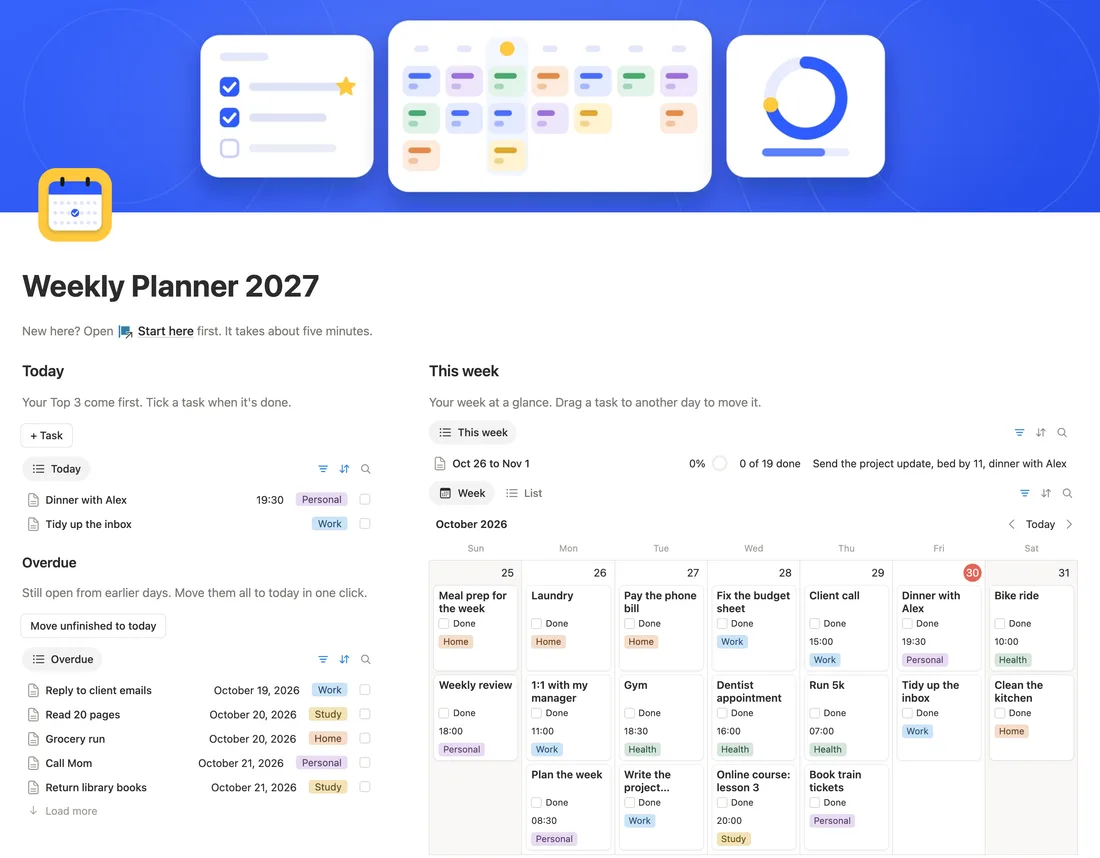
Today on the left, the whole week on the right
From our Weekly Planner 2027
A narrow column for today and anything overdue, and a wide one with the week laid out day by day.
How to make it Make two columns and drag the divider so the left one is narrow. Add a Calendar view on the right and set it to show one week.
-
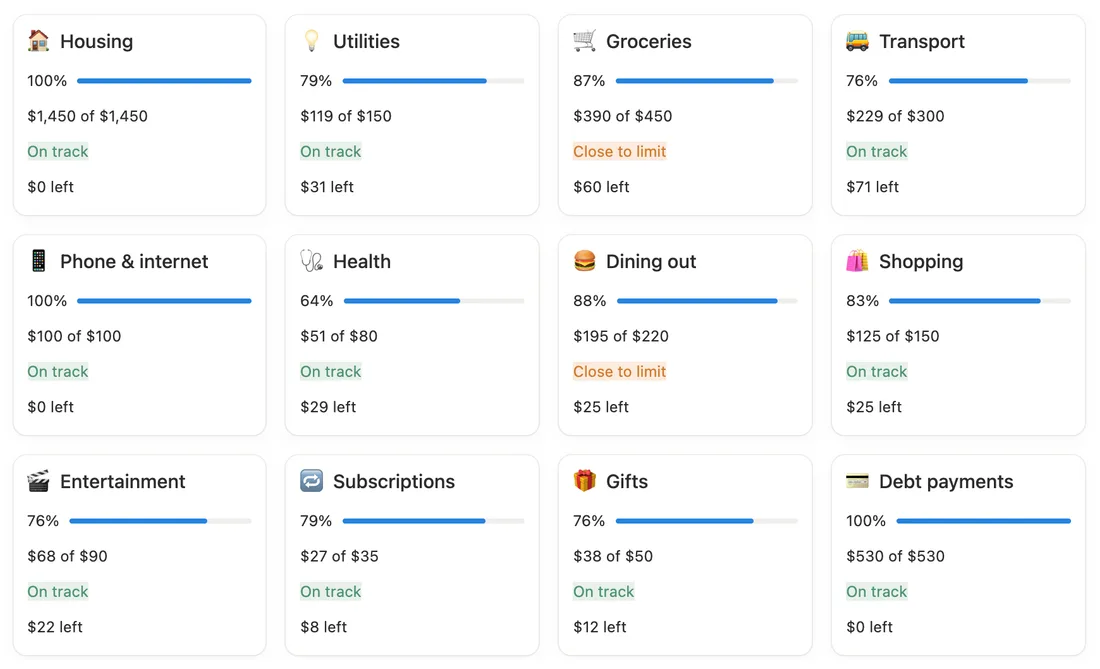
One card per budget, with a bar
From our Budget Tracker 2027
Each category is a card that says how much is used and what’s left, with a bar to match. You spot trouble at a glance.
How to make it A Gallery view of your categories with Card preview set to None, and a formula shown as a bar. Our budget tracker guide has the formulas.
-
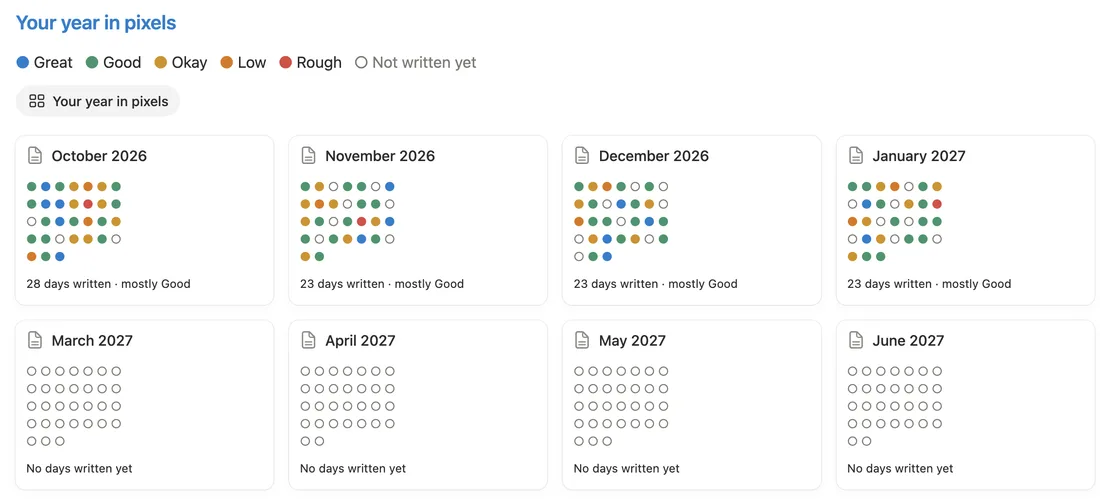
A year in pixels
From our Daily Journal 2027
One card per month and one colored dot per day, by mood. Months fill in as you write, and the pattern is the reward.
How to make it A Gallery of month pages. Each card shows a formula that turns every day’s mood into a colored dot, plus a short count like 23 days written.
-
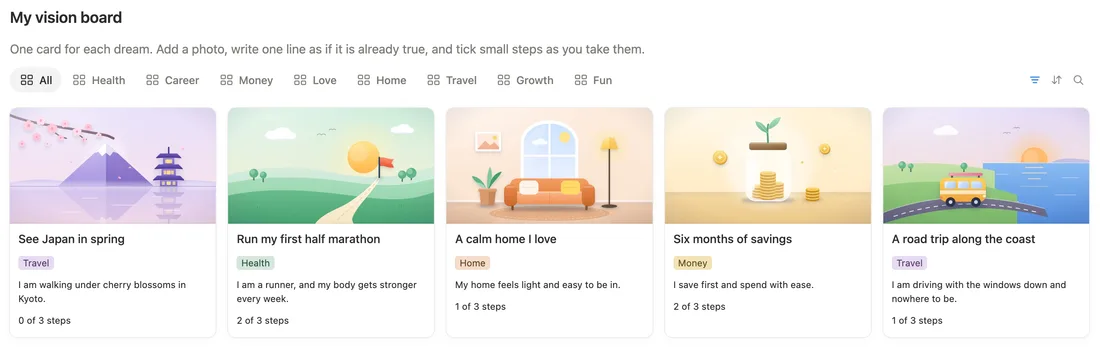
A picture wall
From our 2027 Vision Board
Big photos, one per dream, with a tab for each part of life. It’s a page that’s nice to come back to.
How to make it Gallery view, Card preview set to Page cover. Add a view tab per area with a filter. Our vision board guide goes step by step.
-
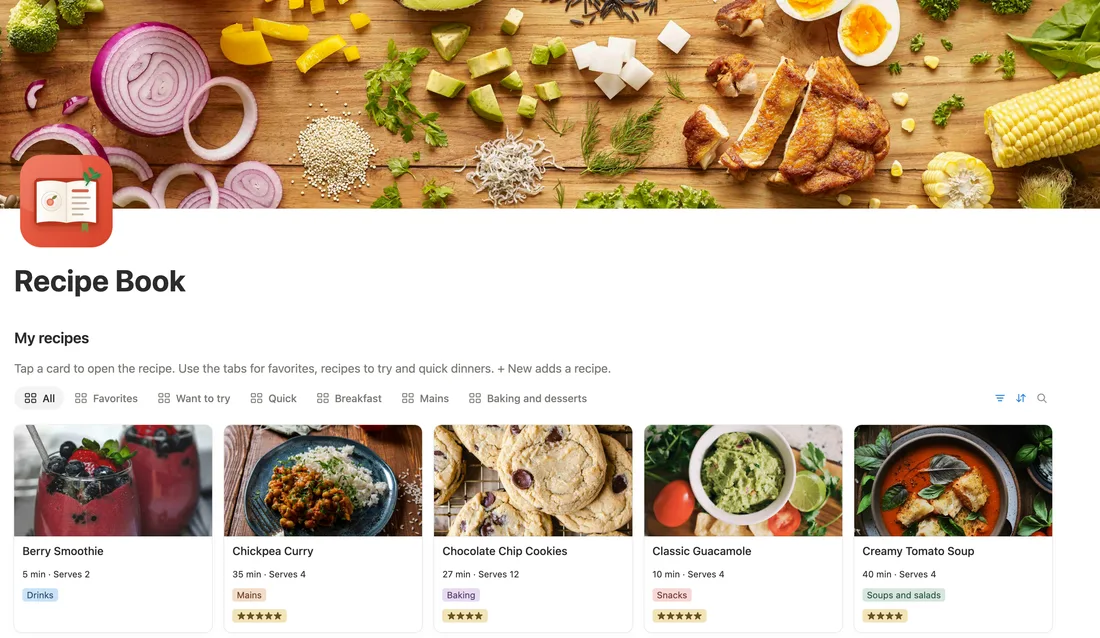
Photo cards with tabs
From our Recipe Book
Food photos sell the recipe. Tabs like Favorites, Want to try and Quick get you to tonight’s dinner fast.
How to make it Gallery view with Page cover previews. Duplicate the view for each tab and change only its filter.
-
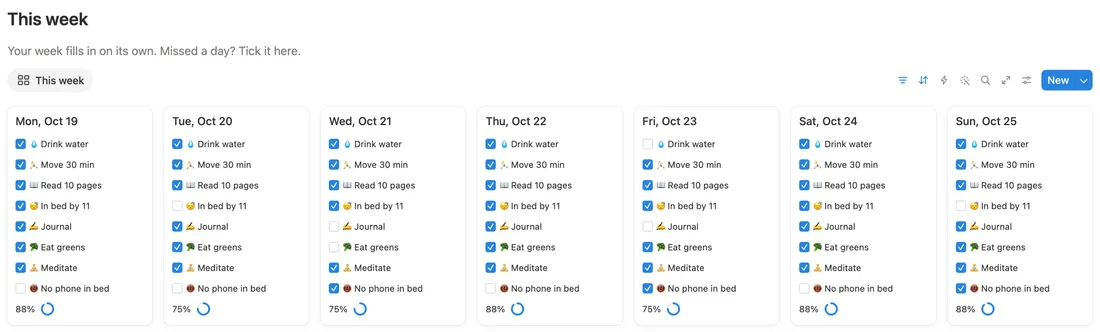
Seven day cards for this week
From our Habit Tracker 2027
A small card for each day with every habit to tick and the day’s score as a ring. Missed a day? Tick it right there.
How to make it Gallery view of your days, filtered to this week, card size Small, with the habits and Score shown. Our habit tracker guide adds the streak.
-
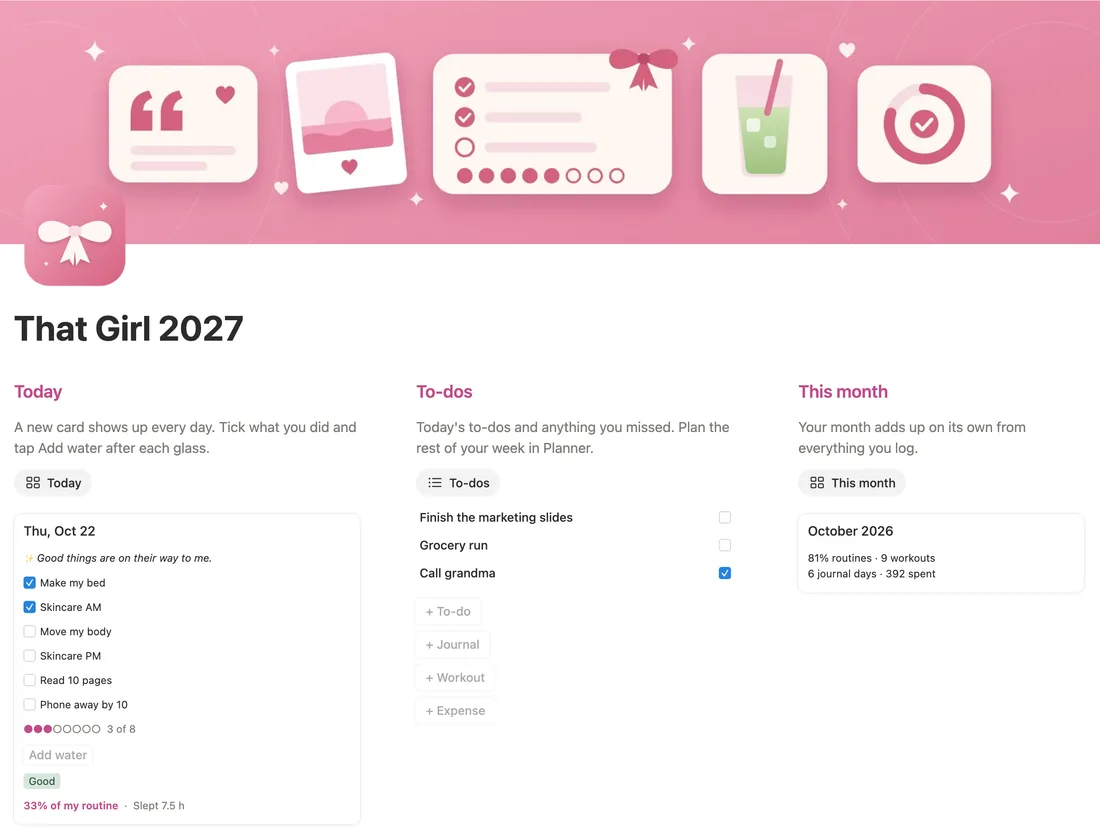
One soft color, everywhere
From our That Girl 2027
Pink cover, pink highlights, pink progress dots. Picking one color and sticking to it is what makes a page look put together.
How to make it Choose one color. Use it for the cover, the heading backgrounds and one callout, and leave everything else plain.
-
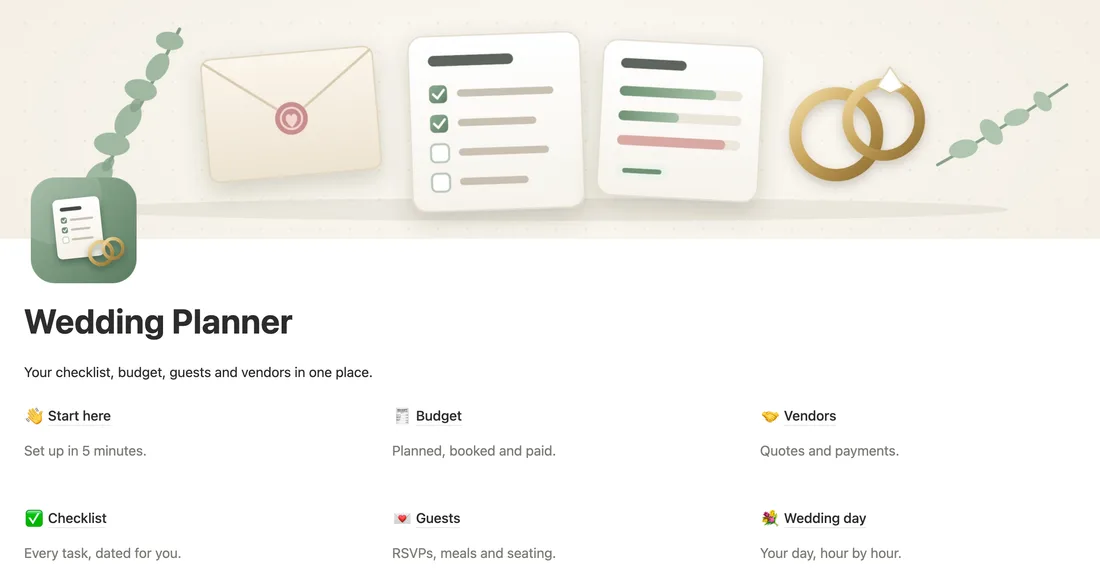
A row of links, one line each
From our Wedding Planner
Start here, Budget, Vendors, Checklist, Guests, Wedding day: each link with a short gray line saying what’s inside.
How to make it Type
/columnsand pick 3 columns. In each, type/linkto add a link to a page, then a gray line of text under it. -
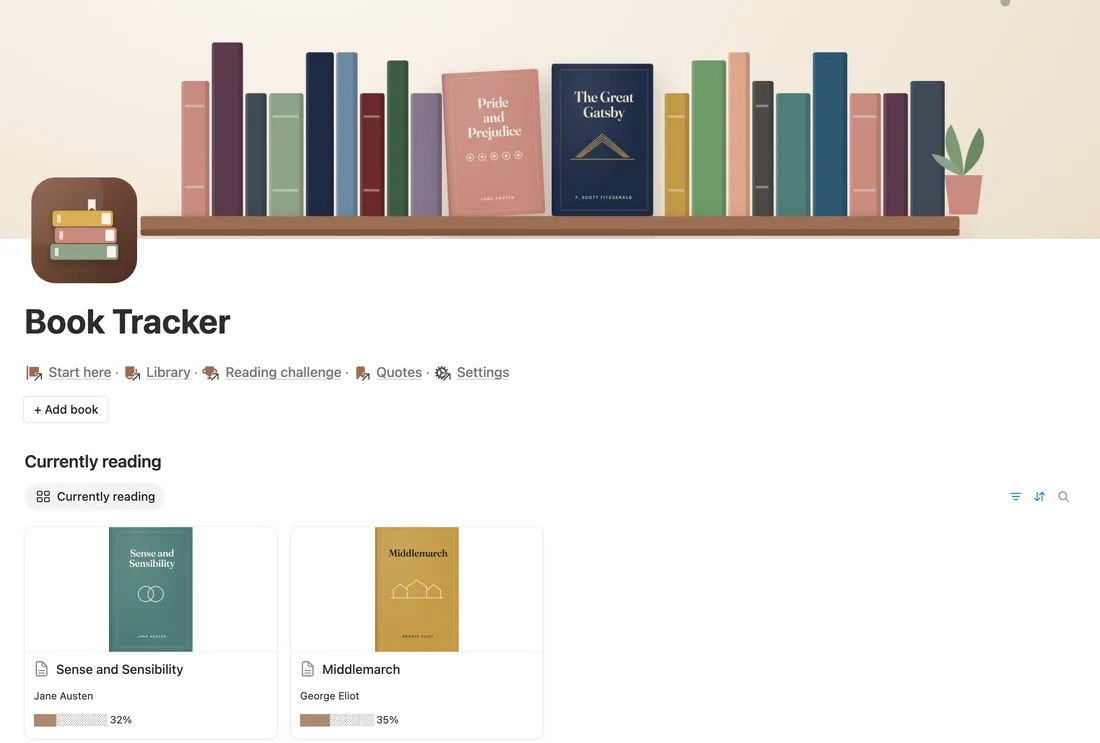
Currently reading, as covers
From our Book Tracker
The books you’re in the middle of, as covers with a progress bar. It nudges you to pick one up.
How to make it Gallery view with Page cover previews, filtered to Status is Reading, with a pages read formula shown as a bar.
-
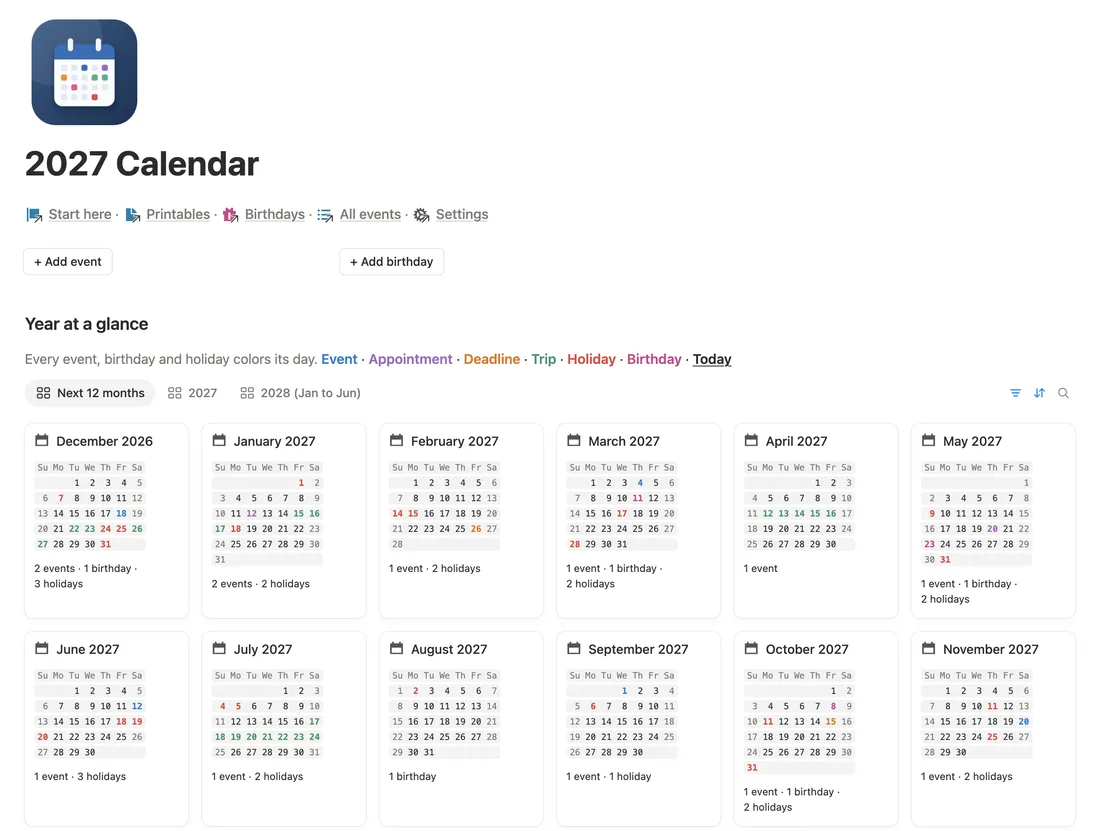
Twelve months at a glance
From our 2027 Calendar
Every month as a small card with what’s in it: events, birthdays, holidays. Good for planning the year in one look.
How to make it A Gallery of month pages, each showing its counts. In our 2027 Calendar the little month grids come ready.
-
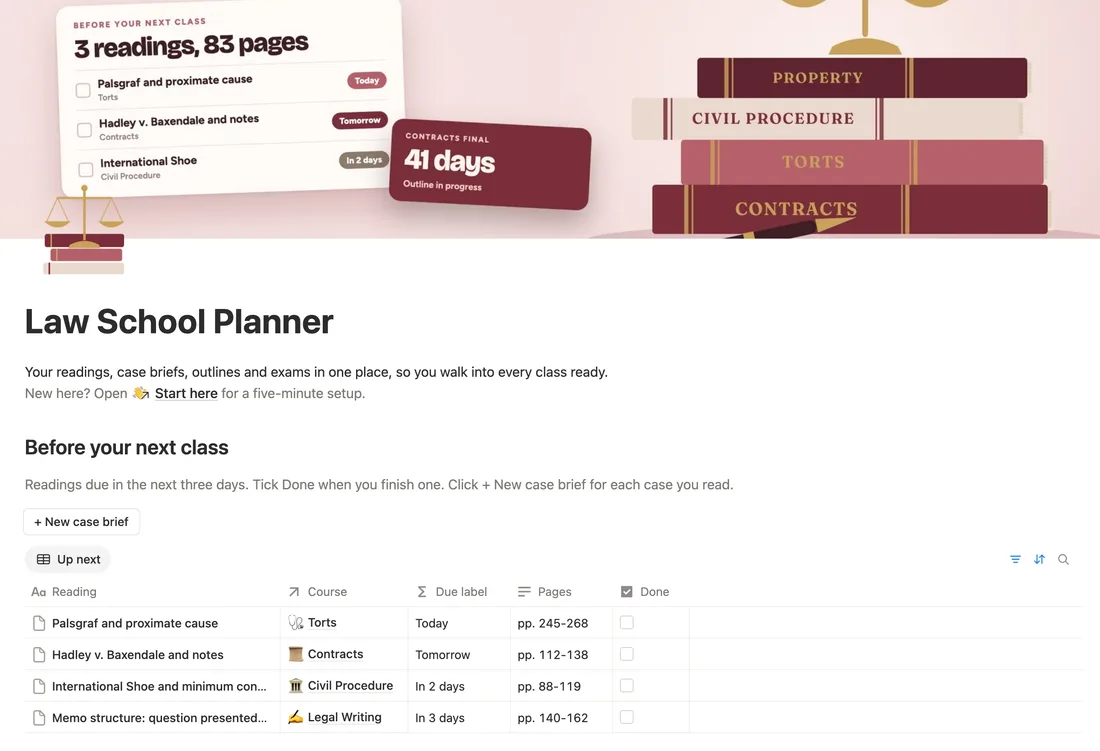
Before your next class
From our Law School Planner
The readings due soon, with plain labels like Today, Tomorrow and In 2 days instead of dates.
How to make it A table view sorted by due date. Add a formula that turns the date into a word, like in our countdown formula guide.
-
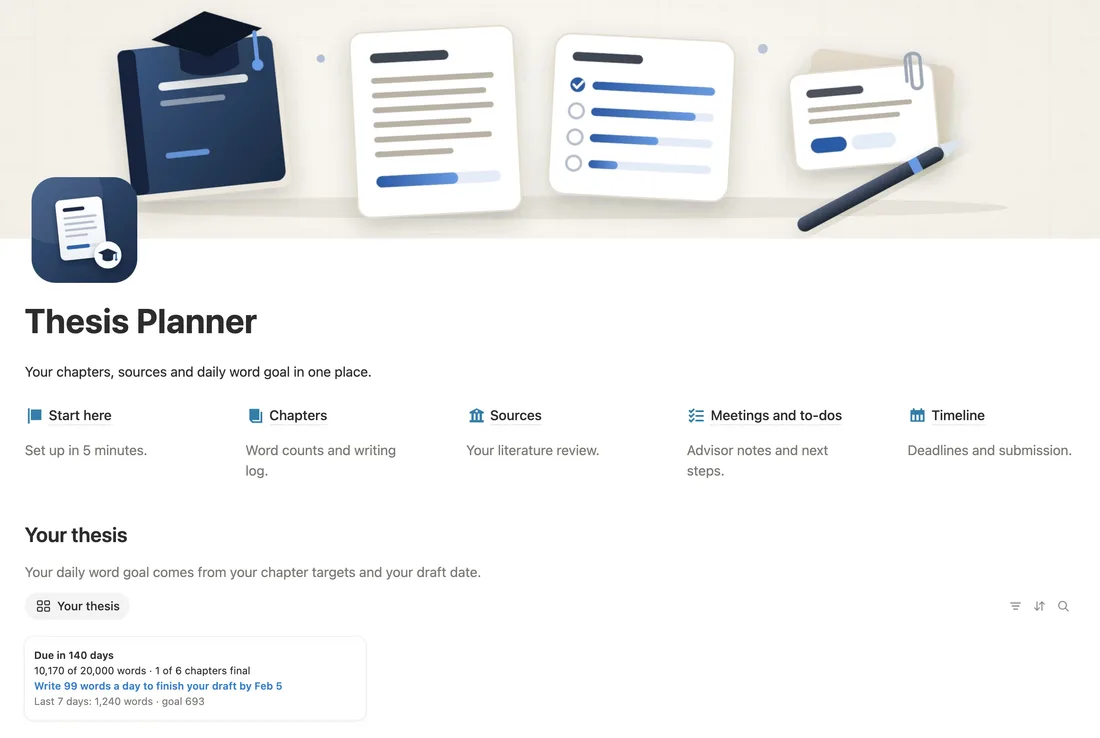
One number at the top
From our Thesis Planner
Days left and words written, right under the title. One number to aim for each day helps a long project keep moving.
How to make it A one-row view of your thesis page showing two formulas: days until the deadline and words to write per day.
-
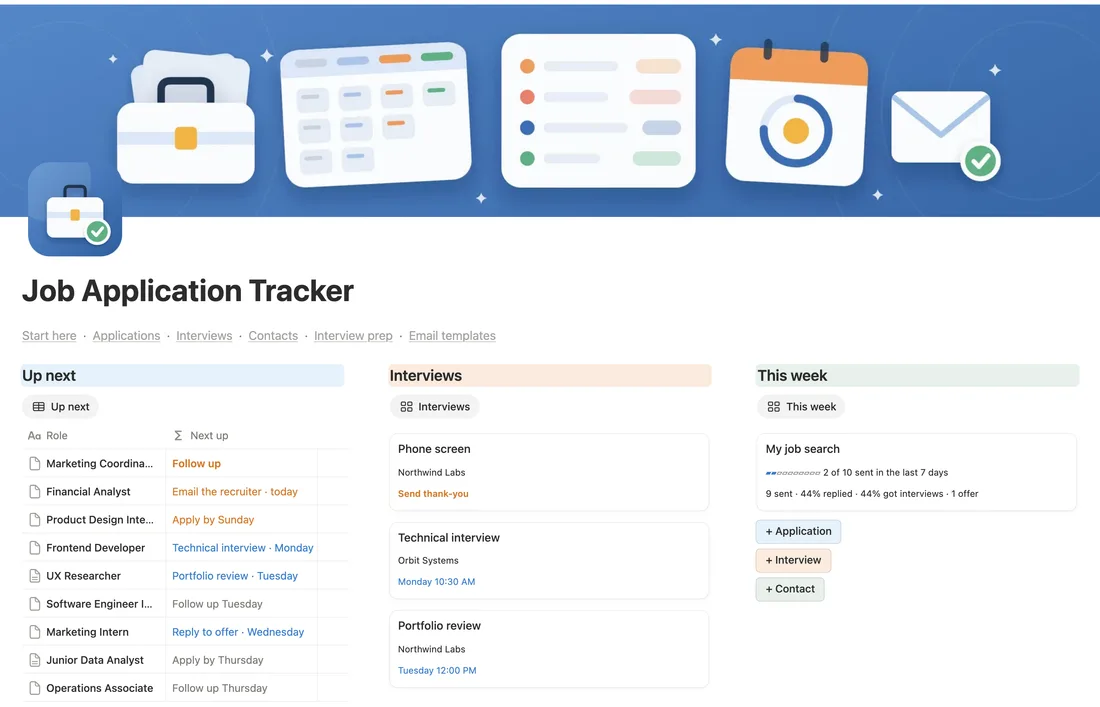
Colored headings over three lists
From our Job Application Tracker
Up next, Interviews and This week, each under a heading with its own soft background color.
How to make it Hover a heading, click the ⋮⋮ handle, choose Color and pick a background. Put a linked view under each one.
-
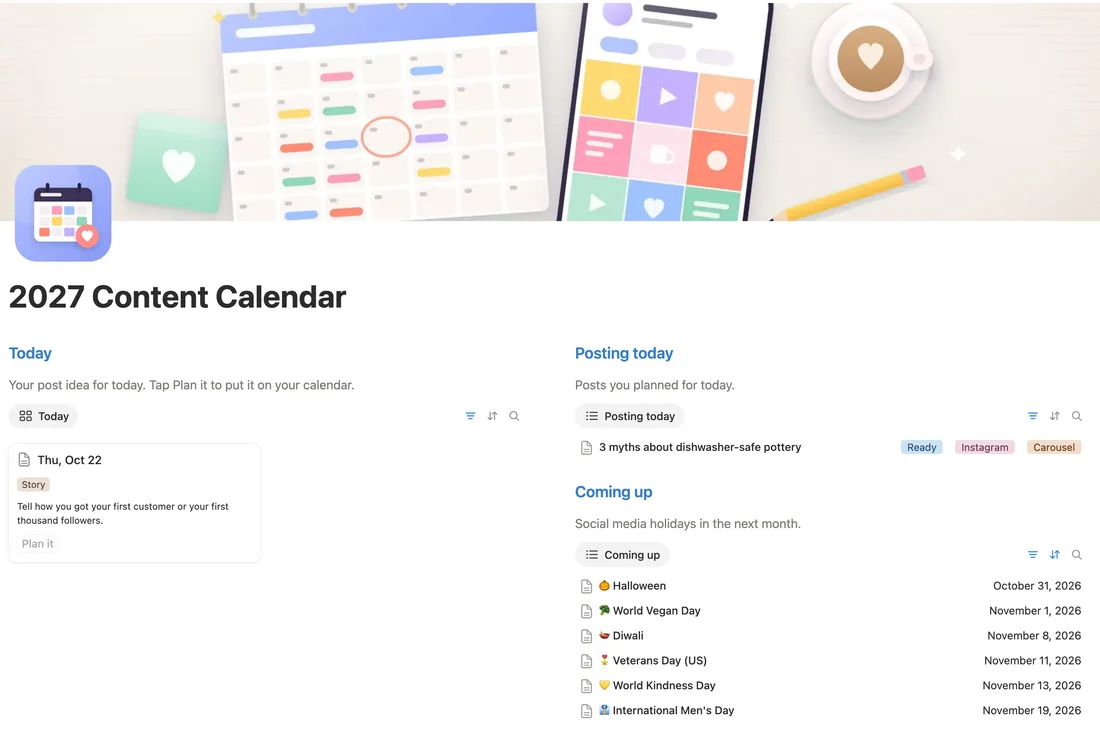
Posting today and coming up
From our Content Calendar 2027
What goes out today, and the dates worth planning for in the next month.
How to make it Two linked views of your posts and dates: one filtered to Date is today, one to the next month.
-
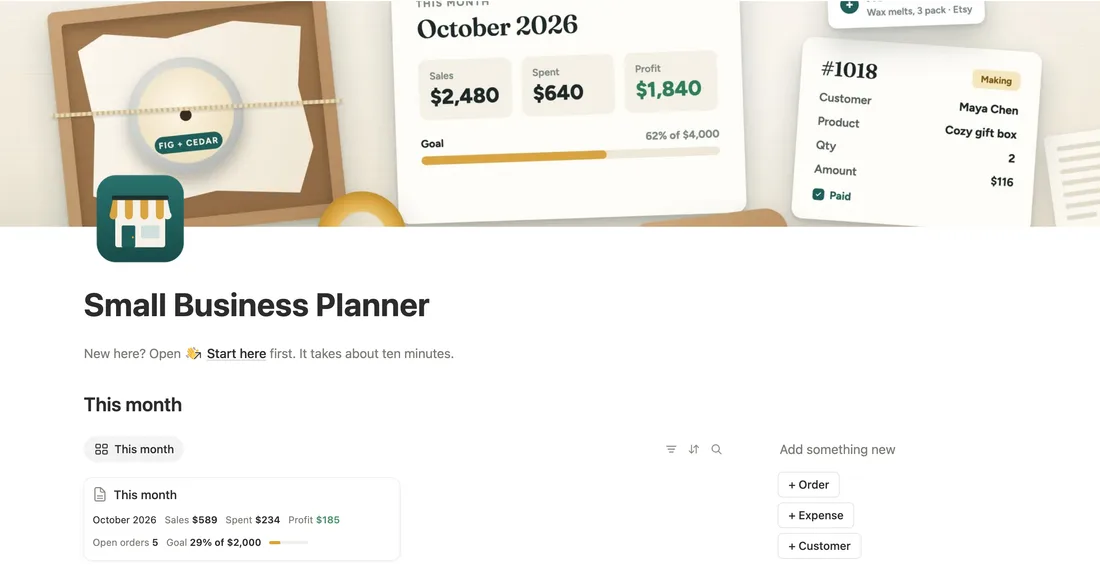
This month in one card, with quick buttons
From our Small Business Planner
Sales, spending and profit for the month in a single card, and buttons to add an order, an expense or a customer.
How to make it A one-card view of the current month with rollups for the totals. Add buttons with
/button, each set to add a page to its database. -
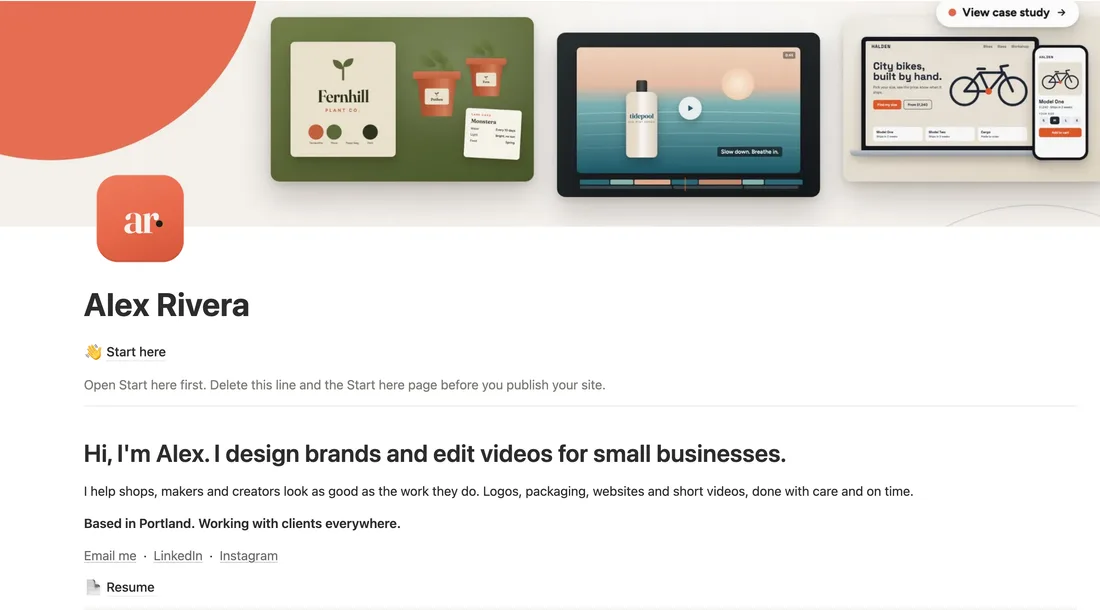
A home that’s also your website
From our Portfolio Website
One line on who you are, links to your work and a way to reach you. Then publish it, and the page is your site.
How to make it Write the intro, add your projects as a gallery, then open Share, go to the Publish tab and click Publish.


What every good home page has
- Today without scrolling. The first thing on the page is what you’ll do today.
- What’s coming up. A second short list for the next few days, so you see it coming.
- One row of links. Everything else is a click away, not stacked down the page.
- One color. A cover and one accent color look calmer than five.
Make yours in 10 minutes
- Make a new page called Home. Click Add cover and Add icon.
- Under the title, add a row of links to your main pages: type
/linkfor each one. - Type
/columnsand pick 2 columns. In the left one, add today’s tasks with/linkedand the filter Date is today. - In the right one, add what’s coming up: the same database, filtered to the next week.
- Open the page on your phone. Columns stack there, left first, so check that today is on top.