
Try it: add money to a goal
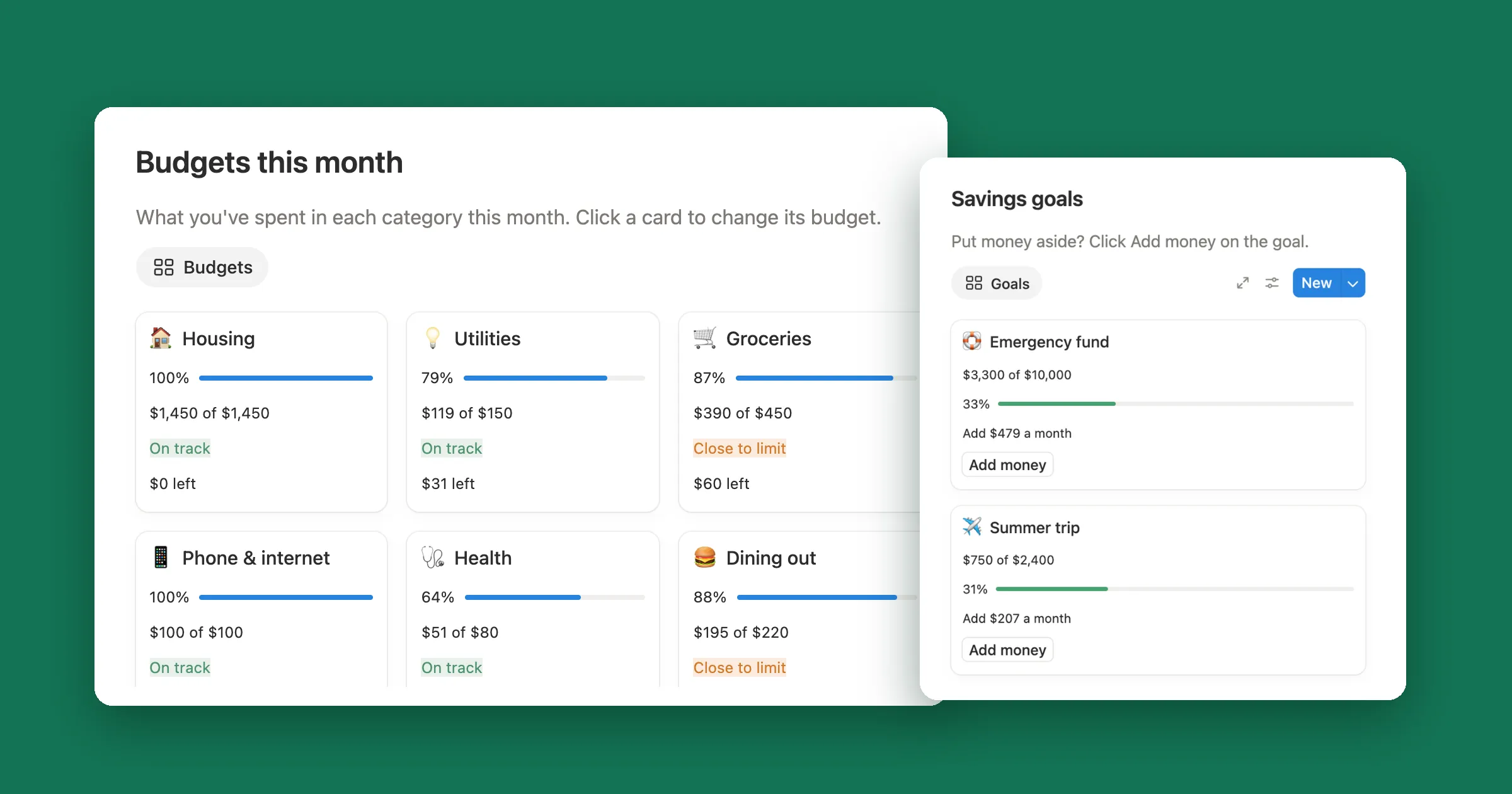
Four goals, each with a target, what’s saved and a date to reach it by. Add money to one and watch the bar and the monthly amount change, the same way the formulas below work in Notion.
- Emergency fund $1,000 of $3,000 Add $286 a month
- Summer trip $400 of $1,200 Add $100 a month
- Holiday gifts $0 of $500 Add $500 a month
- New laptop $1,500 of $1,500 Goal reached
Add $250 to the emergency fund and watch how much a month drops.
1. Make a Savings goals database
Make a table called Savings goals, with one page for each thing you’re saving for, and give it these properties:
- Goal, the title, like Emergency fund or Summer trip.
- Target, a Number. Open it, pick Edit property and set Number format to your currency.
- Target date, a Date: when you want the money ready.
2. Log every deposit
Instead of typing a running total, keep each amount you put aside as a page of its own. Make a second table called Deposits with Amount (a Number in the same currency), Date and a Relation to Savings goals called Goal. Turn on Show on Savings goals so the link goes both ways.
Back in Savings goals, add a Rollup called Saved: pick the Deposits relation, the Amount property and set Calculate to Sum. In our test, the emergency fund’s three deposits of $500, $300 and $200 showed Saved $1,000.
3. What’s left, a progress bar and how much a month
Add three Formula properties. Left is what you still need, and never drops below zero:
max(
  prop("Target") -
    prop("Saved"),
  0
)
Progress is the share you’ve saved, never more than 100%:
if(
  prop("Target") > 0,
  min(
    prop("Saved") /
      prop("Target"),
    1
  ),
  0
)
Open Progress, pick Edit property, set Number format to Percent, Decimal places to 0 and Show as to Bar. Then the one that makes a goal feel doable, Per month:
lets(
  left, max(
    prop("Target") -
      prop("Saved"),
    0
  ),
  months, dateBetween(
    prop("Target date"),
    today(),
    "months"
  ),
  if(
    empty(prop("Target date")),
    toNumber(""),
    if(
      months >= 1,
      ceil(left / months),
      left
    )
  )
)
dateBetween counts the whole months from today to the target date, and ceil rounds the monthly amount up to a whole number, so the
months add up to at least what’s left. With less than a month to go it asks for all of it, and a goal with no date stays empty. Here’s what Notion showed on
October 31:
| Goal | Saved of target | Target date | Per month |
|---|---|---|---|
| Emergency fund | $1,000 of $3,000 | June 1, 2027 | $286 (7 months) |
| Summer trip | $400 of $1,200 | July 15, 2027 | $100 (8 months) |
| Holiday gifts | $0 of $500 | December 15, 2026 | $500 (1 month) |
| New laptop | $1,500 of $1,500 | March 1, 2027 | $0 |
| New car | $250 of $8,000 | None yet | Empty |
Set Number format on Left and Per month to your currency too, and the table reads like this:

4. An Add money button
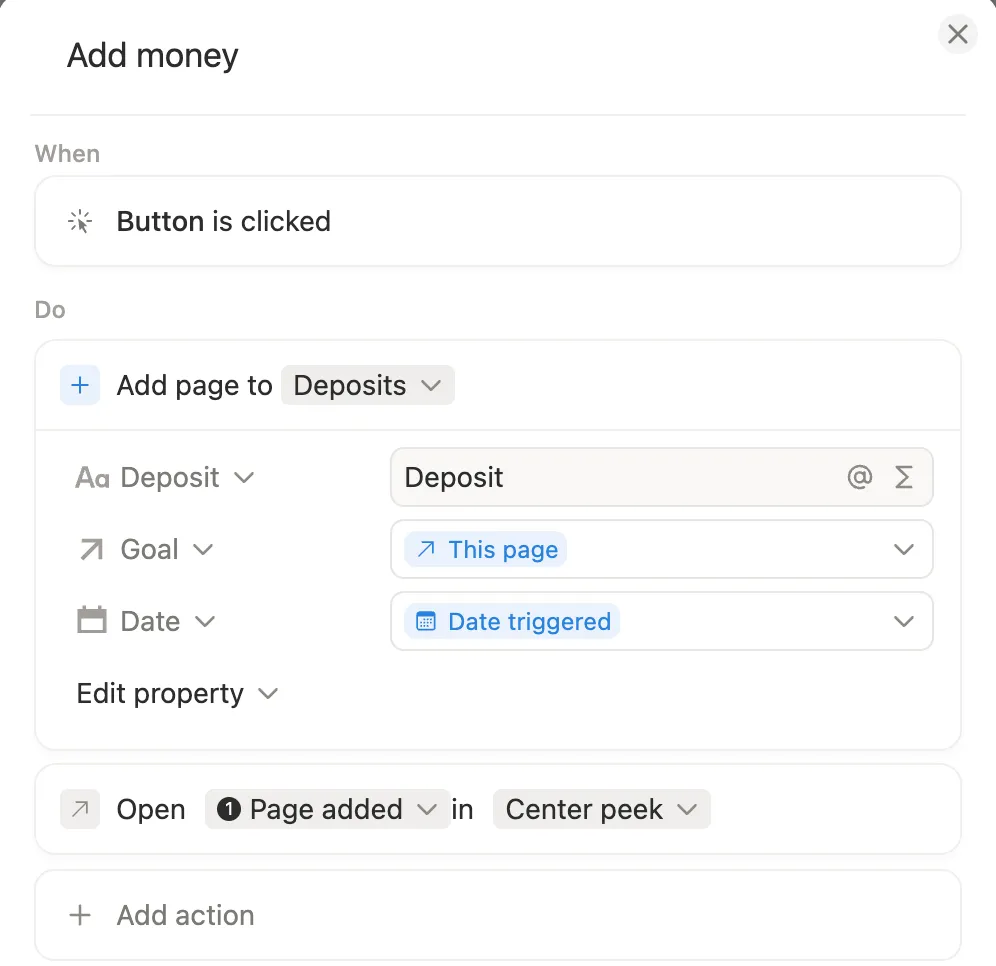
Opening Deposits each time you save is a chore. A Button on each goal adds the deposit for you:
- In Savings goals, click + at the end of the header, name it Add money and pick Button.
- Click the column name, pick Edit automation, then New action and Add page to. Choose Deposits.
- Type Deposit as the name. Under Edit property, set Goal to This page and Date to Date triggered.
- Click Add action, pick Open page, form, or URL and choose Page added. Click Save.
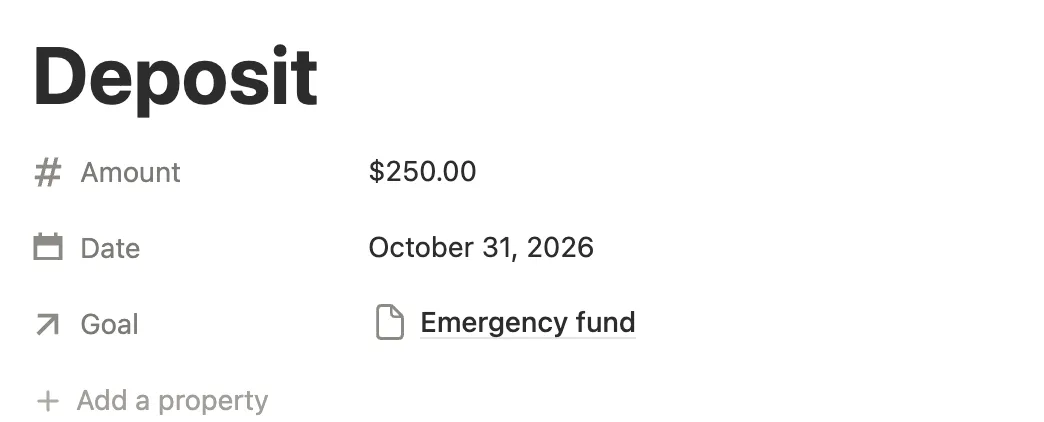
Click Add money on a goal and a new deposit opens, already linked to that goal and dated today. Type the amount and close it. In our test, $250 on the emergency fund took Saved from $1,000 to $1,250 and the bar from 33% to 42%, and Per month dropped from $286 to $250.